



Beyond 2 TB
Instructions on how to install internal drives larger than 2 TB
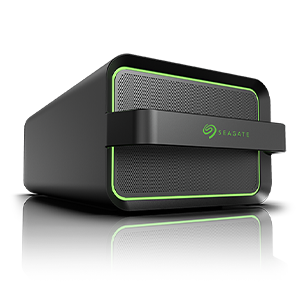
Thank you for purchasing a new hard drive from Seagate. You are only minutes away from unlocking all the capacity of your new hard drive. Please download the new DiscWizard™ software to configure your drive to best meet your needs.
Getting the most out of your over-2 TB hard drive
Using a hard drive larger than 2.1 TB on Windows-based computer systems may require special setup considerations:
| Operating System | BIOS | Boot Disc | Data Disc |
|---|---|---|---|
| Windows Vista and newer | UEFI BIOS* | Supported by Windows 64-bit only | Supported by Windows |
| Windows Vista and newer | PC BIOS | Use DiscWizard Extended Capacity Manager Software | Supported by Windows |
| Windows XP | PC BIOS | Use DiscWizard Extended Capacity Manager Software | Use DiscWizard Extended Capacity Manager Software |
| * Universal Extensible Firmware Interface | |||
Seagate Extended Capacity Manager
The Seagate Extended Capacity Manager (ECM) allows your operating system (OS) to support large capacity disks that have the MBR partition style. You are able to use the disk space beyond 2 TB. This free space will be recognised as a separate disk, and will be usable by your operating system and applications as if it were a regular physical hard disk. (ECM User Guide)
Useful Links Downloads |
Beyond 2 TB Support Links
|
Compatibility Highlights
- If your system uses the Intel RST driver, your 3 TB disc drive may appear to be 800 GB. See our support article about the Intel RST driver.
- System memory requirement is 1 GB and higher for 32-bit systems and 2 GB and higher for 64-bit systems.
- Extended Capacity Manager software installs a device driver to achieve full capacity on Legacy BIOS systems.
- Windows systems with legacy BIOS using Extended Capacity Manager will need two partitions on the boot drive to achieve full capacity.
- Windows Vista and newer native support for 3 TB non-booting data drives is with GPT partitions, available on all systems.
- Windows Vista and newer native support for booting 3 TB is on UEFI BIOS systems and using GPT partitions only.
- The startup process is delayed on a computer that has a large hard disk installed and is running Windows 7 or Windows Server 2008 R2
Hotfix: https://support.microsoft.com/en-us/kb/2505454
- Windows support for hard disks that are larger than 2 TB
https://support.microsoft.com/en-us/kb/2581408


