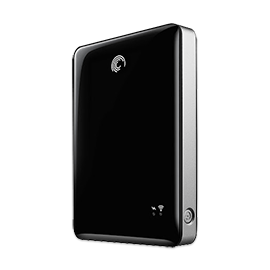
It is necessary to update the GoFlex Satellite to the latest firmware version to work with changes made in Wi-Fi communication made in iOS 6.
Go to DownloadThis support page is for GoFlex Satellite customers ONLY.
Wireless Plus customers please visit the Wireless Plus Support Page.
This tutorial will familiarize you with the steps required to download and install the GoFlex Media application to an iPad or Android device.
Watch videoNow Showing...
This tutorial will familiarize you with the features of the Videos section of the legacy GoFlex Media application. Please note this application is no longer available.
Watch videoNow Showing...
This tutorial will familiarize you with the features of the Settings section of the Go Flex Media application.
Watch the VideoNow Showing...
This tutorial will familiarize you with the features of the Photos section of the legacy GoFlex Media application. Please note this application is no longer available.
Watch the VideoNow Showing...
This tutorial will familiarize you with the features of the Documents section of the legacy GoFlex Media application. Please note this application is no longer available.
Watch the VideoNow Showing...
This tutorial will familiarize you with the features of the Music section of the legacy GoFlex Media application. Please note this application is no longer available.
Watch the VideoNow Showing...
This tutorial will familiarize you with the features of the Folder View sections of the legacy GoFlex Media application. Please note this application is no longer available.
Watch the VideoNow Showing...
This tutorial will familiarize you with the features of the Local Content and, the Getting Started sections of the GoFlex Media application.
Watch the VideoNow Showing...
It is necessary to update the GoFlex Satellite to the latest firmware version to work with changes made in Wi-Fi communication made in iOS 6.
Go to DownloadGet answers to the most frequently asked questions for GoFlex Satellite.
Read MoreConnecting to the GoFlex Satellite from an iPad / iPhone / iPod Touch is a fairly simple process.
Read MoreConnecting to the GoFlex Satellite from an Android Smart Phone or Tablet is a fairly simple process.
Read MoreConnecting to the GoFlex Satellite is a fairly simple process. There are two options with a Windows PC.
Read MoreConnecting to the GoFlex Satellite is a fairly simple process. There are two options with a Mac
Read More
The NTFS Driver (5MB) allows you to mount the NTFS partition on both a GoFlex and Backup Plus drive as read and write (NTFS would normally be read only in MacOS), so the drive can be used to drag and drop files between a computer running Mac OS and one running Windows.
Learn more
This is an update to the firmware used to operate the GoFlex Satellite drive. It makes several improvements over the original version shipped with early units.
Learn more
Dashboard and Memeo software for GoFlex Drives - updated for Windows 8. Learn more
This software will export iTune's playlists and media files to the GoFlex Satellite drive. Learn more
Seagate Media Sync is a Mac OS application that will assist the user in copying media files to the Seagate Wireless and GoFlex Satellite drives. Learn more
Seagate Media Sync is a Windows application that will assist the user in copying media files to the Seagate Wireless and GoFlex Satellite drives. Learn more
The quick diagnostic tool that checks the health of your drive. Learn more
Capacity 500GB