Not all storage is built to handle the demands of modern video production. While a basic external drive may work fine for everyday files or casual use, professional video editors know the story changes completely when working with 4K, 6K or even 8K footage. These massive, high-resolution files don’t just take up space; they push storage systems to their limits.
For example, a 30-minute 4K shoot can easily generate over 150GB of raw footage, often with high bitrates that require sustained, high-speed data transfer. During editing, the drive must read and stream multiple large video files simultaneously to the software without stuttering or dropping frames. And when rendering to the same drive that holds the source footage, the strain intensifies: the drive’s read/write heads are constantly switching between reading and writing tasks, which can lead to serious performance degradation if the drive isn’t built for it. That’s why fast transfer speeds, exceptional reliability and enough capacity aren’t just nice to haves; they are needed to keep entire projects moving without bottlenecks.
For filmmakers, content creators and production teams, external video storage isn’t just a convenience, it’s the backbone of the workflow. From capturing raw footage on location to editing complex sequences back in the studio, every stage of the process depends on drives that can move huge files quickly and securely. That’s why so many professionals consistently turn to LaCie® external drives, which are widely recognized as one of the best names in external hard drives for video editing.
Designed with creative pros in mind, LaCie drives balance speed, durability and scalability, making them equally effective in the editing suite or on set. They provide the reliability needed to safeguard valuable footage, the speed required to handle multistream editing and the flexibility to scale as projects grow larger and more complex. In short, LaCie hard drives are built to keep modern video workflows running smoothly and on schedule.
In this guide, we’ll explore the best external hard drives for video editing and highlight why LaCie remains the go-to choice for creative professionals worldwide.
Why video editors choose LaCie external hard drives
LaCie has been widely regarded as the leading name in storage solutions for creative professionals. Now under the umbrella of Seagate, LaCie combines cutting-edge performance with decades of engineering and manufacturing expertise. The result is a powerful blend of domain knowledge and proven reliability, tailored to meet the exacting demands of commercial video production and creative workflows.
Every detail of LaCie’s design reflects the realities of professional content creation. With Thunderbolt™ and USB-C connectivity, these drives deliver blazing-fast transfers and are optimized for sustained, high-bandwidth workloads, making them ideal for editing massive 4K, 6K or 8K projects without interruption.
LaCie products aren’t just about speed, though. Their rugged builds include shock-resistant cases, weatherproof features and vibration control, ensuring footage remains safe whether you’re moving between studio and set, or working in challenging conditions.
The product range spans both highly portable drives for creators on the move and high-capacity desktop units designed for long, demanding editing sessions.
Some models also support advanced configurations like a redundant array of independent disks (RAID) for redundancy or performance, giving professionals the flexibility to scale storage as projects grow. By combining creative-focused design, proven performance and Seagate-backed dependability, LaCie has earned its reputation as one of the best external hard drive solutions for video editors who simply can’t afford compromise.
Explore our complete guide to the best external hard drives for 2025.
Best LaCie external hard drives for video editing
Here are some of the best external hard drives and SSDs for video editing:
LaCie Rugged SSD Pro5: Best for 8K and high-performance editing
The LaCie Rugged SSD Pro5 is the best external SSD for video editing when your projects push the limits of resolution and speed.
Powered by Thunderbolt 5, it delivers up to 6,700 MB/s read and 5,300 MB/s write speeds with its 50GB cache. Even beyond the cache, it sustains 6,700 MB/s read and 1,800 MB/s write, making it possible for editors to cut 6K and 8K footage in real time without disruption.
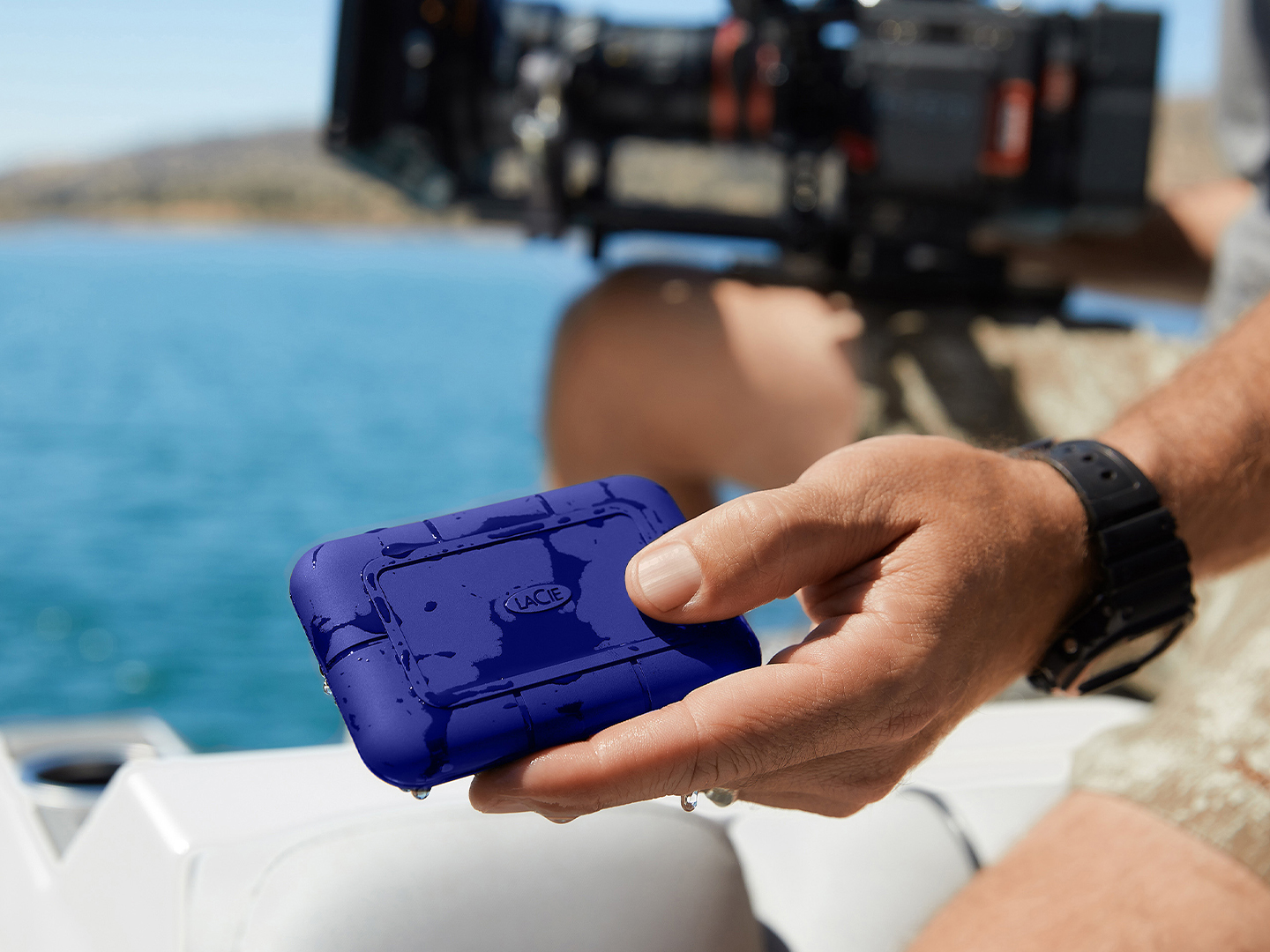
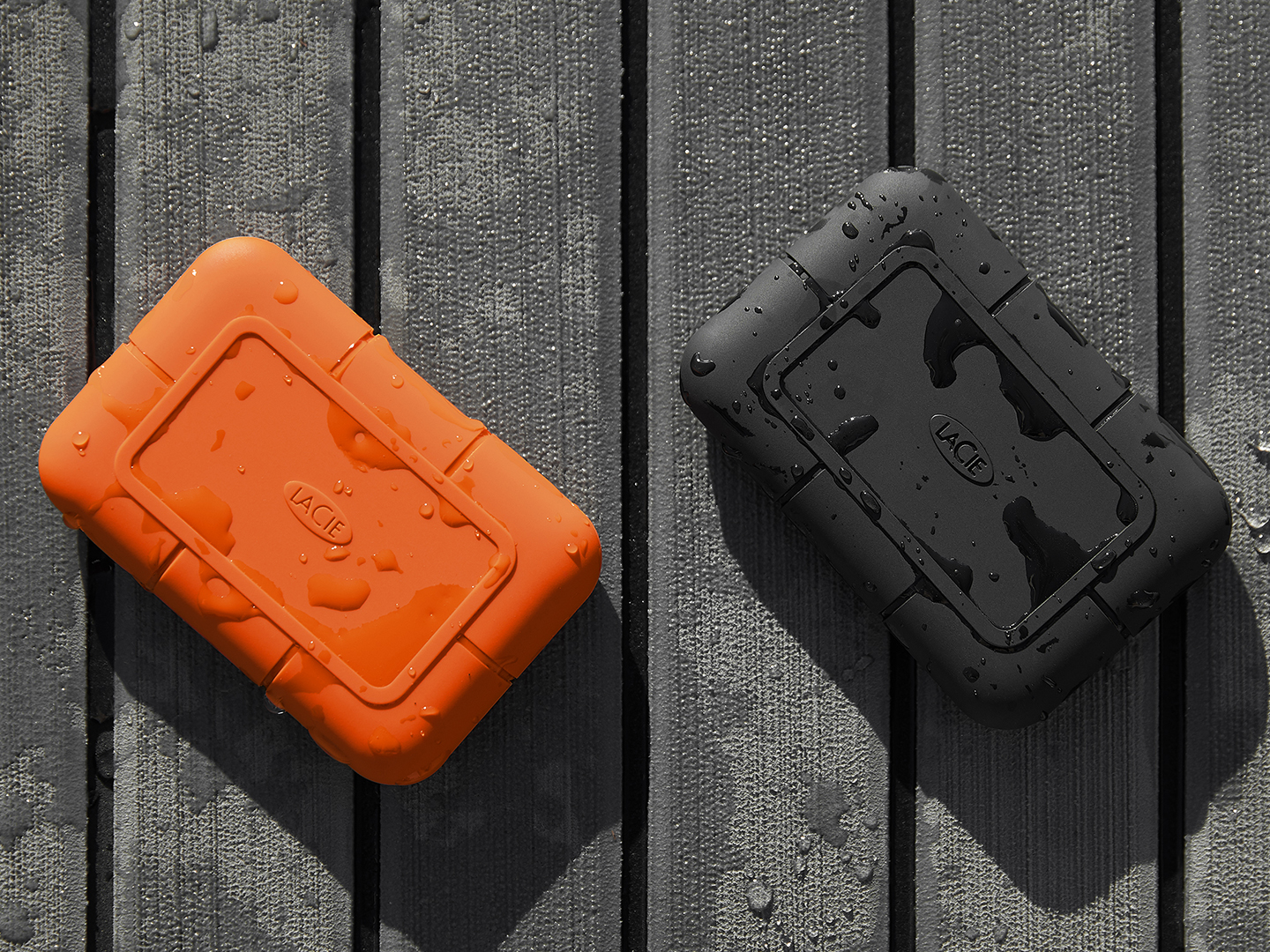
The Pro5 carries an IP68 rating, shrugging off water, dust and drops of up to three meters. It boasts a creator-friendly design by famed product designer Neil Poulton, blending aesthetics with performance and strength for unforgiving environments.
Capacities of 2TB and 4TB give freelancers and production teams room to store massive video libraries. It also includes Rescue Data Recovery Services, a five-year limited warranty, and bundled Seagate Toolkit backup software to add long-term peace of mind.
LaCie Rugged SSD: Best portable option for field work
The LaCie Rugged SSD slips into a jacket pocket for mobile shoots and quick turn edits. Powered by Seagate FireCuda® NVMe technology, it delivers transfer rates up to 1,050 MB/s, making it fast enough to move or edit RAW 4K footage without breaking your on-location workflow.
It boasts an IP67 rating, survives drops up to three meters and even withstands the weight of a two-ton vehicle. Seagate Secure self-encrypting technology keeps project files confidential. At the same time, compatibility with Thunderbolt 4, Thunderbolt 3 and USB 3.2 Gen 2 (USB-C) means it plugs into nearly any Mac® or Windows® setup, or even an iPad® Pro for mobile editing.
Plus, you can get it in capacities up to 4TB, giving filmmakers and DITs room for full shooting days and large project files. A five-year limited warranty, Rescue Data Recovery Services and two-month trial to Adobe® Creative Cloud Pro All Apps.
LaCie mobile drive: Best budget-friendly option
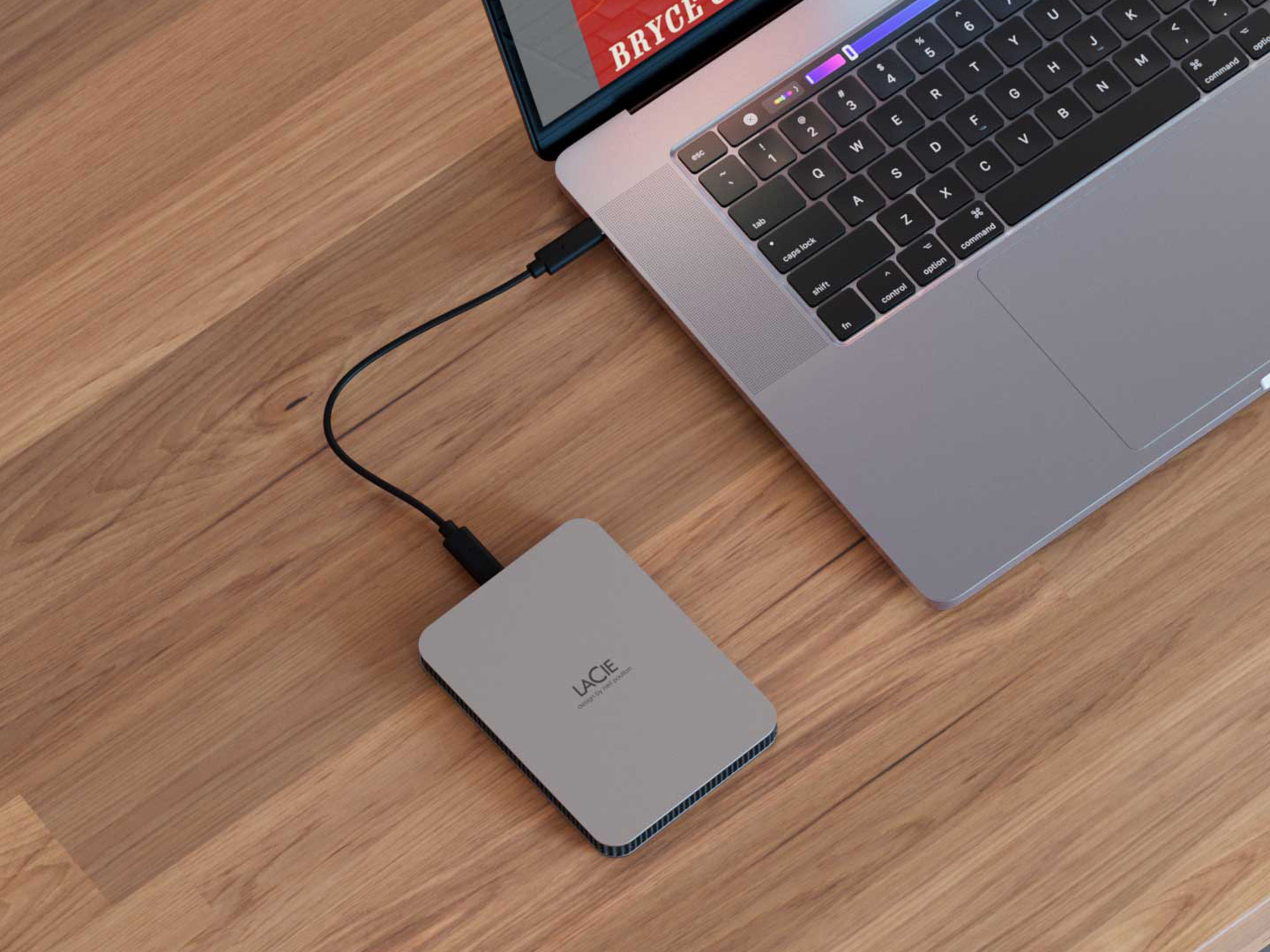
The LaCie Mobile Drive delivers an entry-level option with a clean design and USB-C connectivity for simple plug-and-play use across Mac, PC and even iPad.
With transfer speeds up to 130 MB/s, the mobile drive is ideal for lighter video editing workflows — like short-form social content — and provides storage space of up to 5TB.
A three-year limited warranty, Rescue Data Recovery Services and a two-month trial to Adobe® Creative Cloud Pro All Apps add extra value for creators who want dependable storage and creative tools without overspending.
It’s a stylish, portable, budget-friendly option that covers everyday shoots and small post-production tasks, keeping projects organized and accessible.
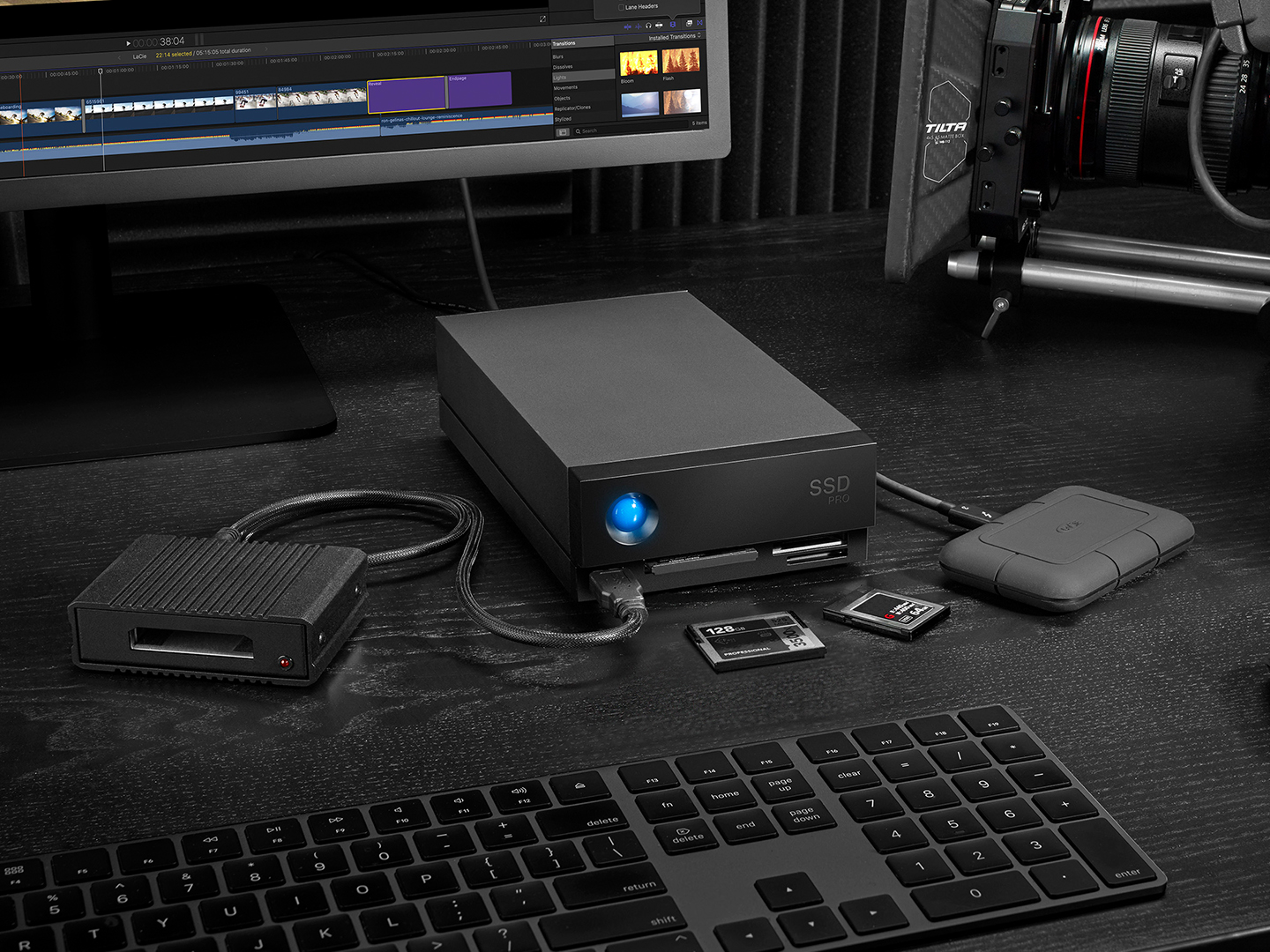
LaCie 1big Dock SSD Pro: Best all-in-one solution
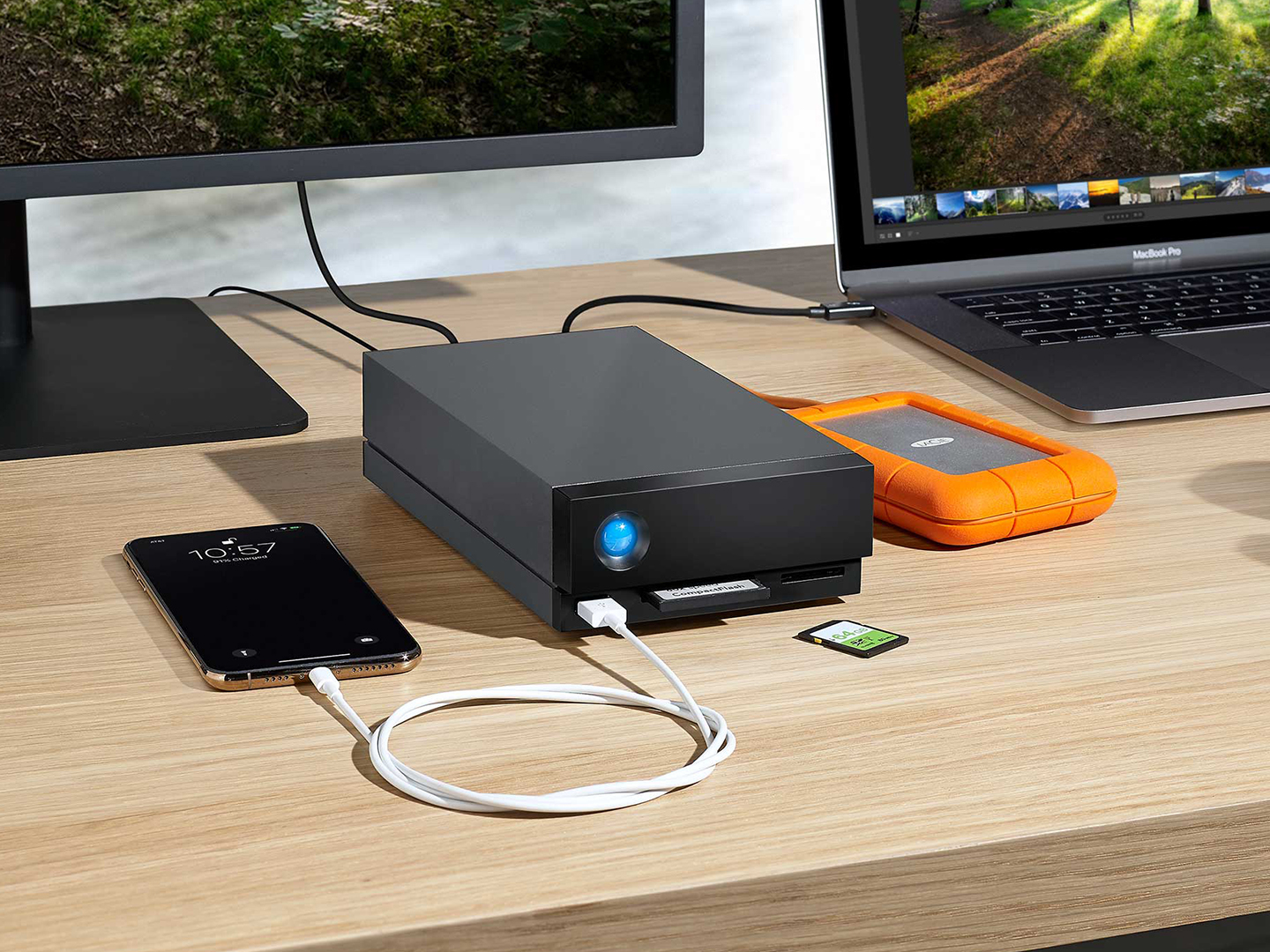
For anyone who wants storage, card readers, display connectivity and charging power in a single piece of equipment, the LaCie 1big Dock SSD Pro centralizes the entire workflow. It’s a complete production hub perfect for editors building a dedicated studio setup.
Designed for filmmakers and DITs handling 6K and 8K footage, it delivers blazing NVMe speeds up to 2,800 MB/s, backed by Seagate FireCuda SSD technology, so massive files move quickly and editing can begin without delay.
What sets the 1big Dock apart is its built-in docking station. Three integrated card readers — including SD, CFast 2.0 and CFexpress — let you ingest footage directly from cameras without extra adapters.
Dual Thunderbolt 3 ports (compatible with Thunderbolt 4) support daisy chaining, while a DisplayPort 1.4 output drives a 4K monitor for real-time review. A USB hub and power delivery up to 70W keep peripherals connected and your laptop charged during long editing sessions.
The sleek design houses up to 4TB of FireCuda SSD storage, featuring innovative cooling for sustained performance. LaCie rounds it out with a five-year limited warranty, Rescue Data Recovery Services, and two-month trial to Adobe Creative Cloud Pro All Apps.
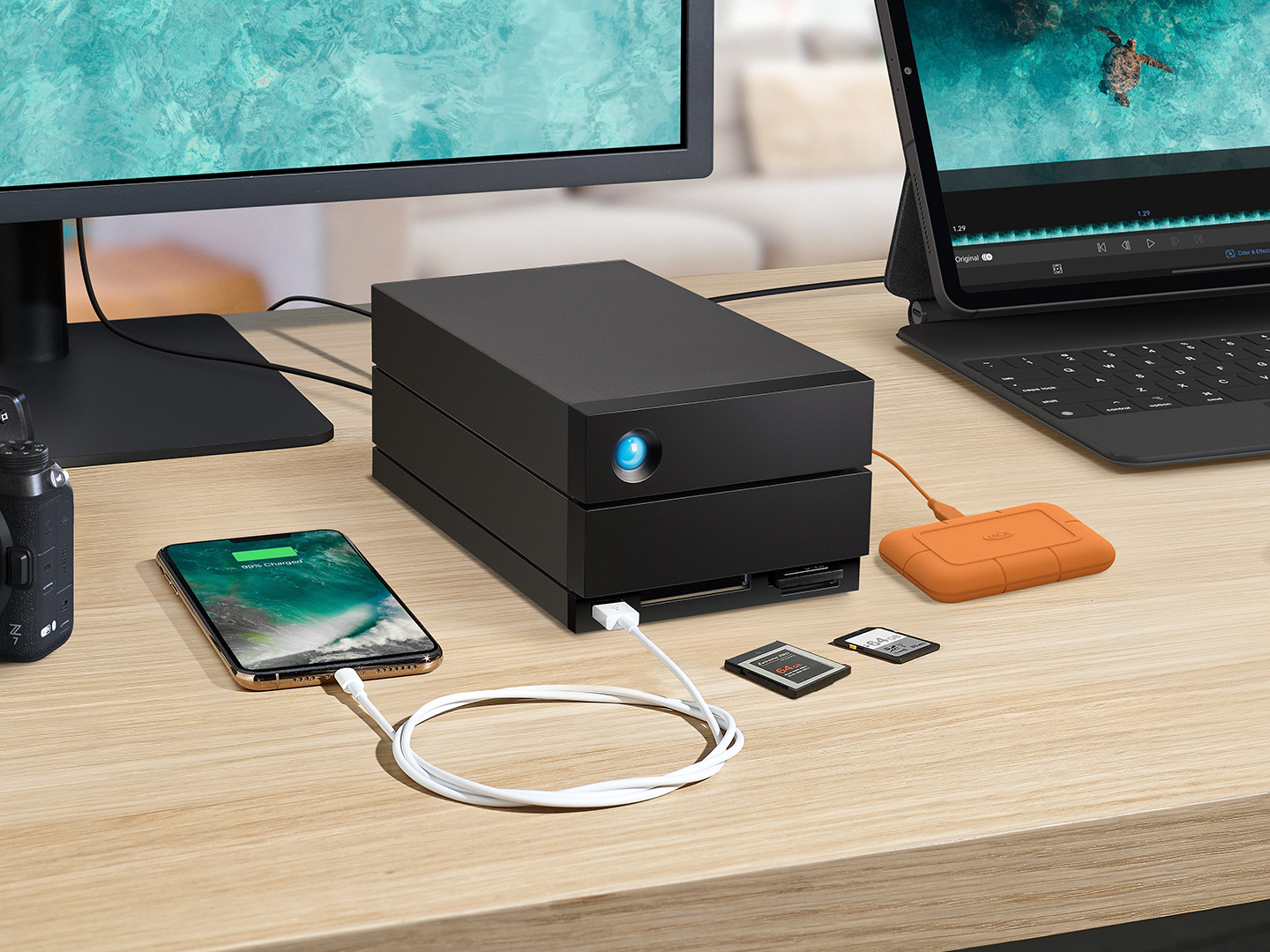
LaCie 2big Dock: Best high-capacity desktop solution
When post-production calls for massive storage and a central hub, the LaCie 2big Dock delivers. Built for large projects and studio workflows, it provides up to 48TB of capacity and 550 MB/s transfer speeds ... enough for multicamera 4K and 8K productions.
Its dual-drive design with hot-swappable IronWolf® Pro enterprise drives supports RAID 0 for speed or RAID 1 for mirrored protection, so teams can balance performance and data security as projects grow.
The 2big Dock also serves as a complete docking station:
- Ingest media through CFexpress B, CFast 2.0 and SD card slots
- Connect peripherals via a front USB 3.2 Gen 2 Type-A hub
- Drive dual 4K or a single 8K monitor via DisplayPort 1.4, with dual Thunderbolt 3 ports (compatible with Thunderbolt 4) for daisy-chaining up to five devices and supporting iPad USB-C connections.
It includes a five-year limited warranty, Rescue Data Recovery Services, and a two-month trial to Adobe Creative Cloud Pro.
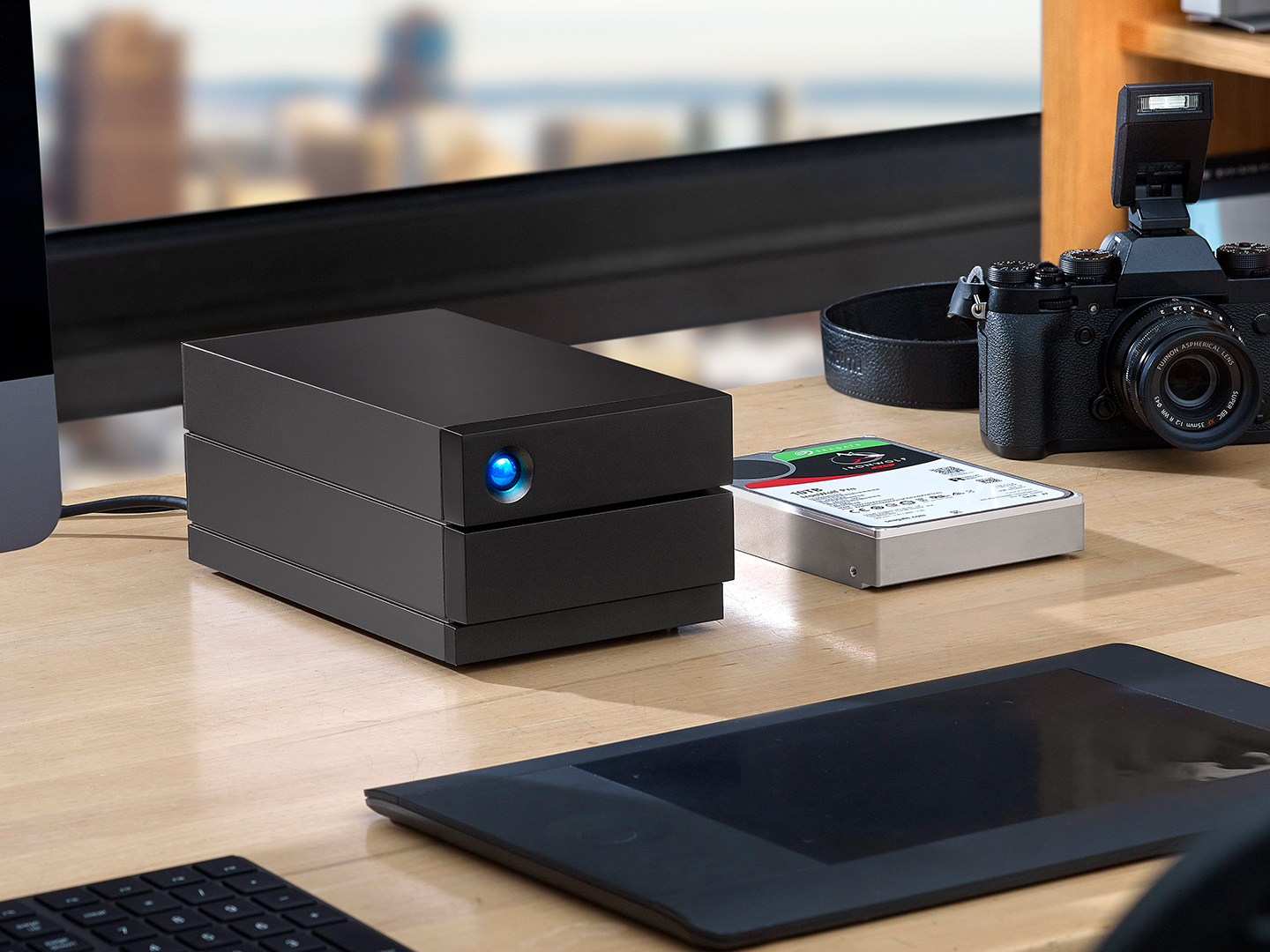
LaCie 2big RAID: Best for data security and large projects
For post-production teams and filmmakers handling terabytes of critical footage, the LaCie 2big RAID combines high capacity with built-in data protection. With up to 48TB of desktop storage and 550 MB/s transfer speeds, it supports multicamera 4K and 8K projects while keeping edits on schedule.
Its hardware RAID 0 and 1 design is central to data security. Use RAID 1 to mirror every file, so an identical copy remains if a drive fails. LaCie RAID Manager monitors drive health and sends alerts before issues put footage at risk.
Inside, hot-swappable Seagate IronWolf Pro enterprise drives deliver 7,200-RPM performance and can be replaced without powering down, keeping workflows uninterrupted.
A USB 3.2 Gen 2 (10 Gb/s) USB-C interface works with Thunderbolt 4, Thunderbolt 3, USB4 and USB 3.0 hosts across Mac, Windows and even iPad. It comes with a five-year limited warranty and Rescue Data Recovery Services.
| Model | Capacity options | Transfer speed | Interface | Warranty | Best for |
| LaCie Rugged SSD Pro 5 | 2 TB, 4 TB | Up to 6,700 MB/s read and 5,3000 MB/s write | Thunderbolt 5 / 4, USB-C | 5-year limited + Rescue Data Recovery Services | Real-time 6K and 8K editing in extreme environments |
| LaCie Rugged SSD | Up to 4 TB | Up to 1050 MB/s | USB-C (USB 3.2 Gen 2), compatible with Thunderbolt 4/3, USB4 | 5-year limited + Rescue Data Recovery Services | Portable 4K field work and mobile editing |
| LaCie Mobile Drive | Up to 5 TB | Up to 130 MB/s | USB-C (USB 3.2 Gen 1), compatible with Thunderbolt 4/3, USB4 | 3-year limited + 3-year Rescue Data Recovery Services | Budget-friendly storage for lighter video edits and everyday media |
| LaCie 1big Dock SSD Pro | Up to 4 TB | Up to 2800 MB/s | Dual Thunderbolt 3 (Thunderbolt 4 compatible), DisplayPort 1.4, USB hub | 5-year limited + Rescue Data Recovery Services | All-in-one studio hub with card readers, 4K display support, and laptop charging |
| LaCie 2big Dock | Up to 48 TB | Up to 550 MB/s | Dual Thunderbolt 3 (Thunderbolt 4 compatible), USB-C (USB 3.2), DisplayPort 1.4 | 5-year limited + Rescue Data Recovery Services | High-capacity desktop RAID with integrated card readers for large post-production projects |
| LaCie 2big RAID | Up to 48 TB | Up to 550 MB/s | USB-C (USB 3.2 Gen 2), compatible with Thunderbolt 4/3, USB4 | 5-year limited + Rescue Data Recovery Services | Mission-critical projects requiring RAID 1 data redundancy and hot-swappable enterprise drives |
Essential features to look for in video editing hard drives
Professional video editing puts unique demands on hardware: massive file sizes, constant read/write cycles and the need for absolute reliability.
Before choosing a specific model, it helps to understand the core capabilities that distinguish a professional-grade drive from everyday storage.
Transfer speeds and interface types
Speed is nice for most people, but high-resolution video editing lives or dies on data throughput. Working with 4K, 6K or 8K footage means moving massive files between storage and your editing workstation.
Thunderbolt 3 and 4 deliver up to 40 Gb/s, while Thunderbolt 5 doubles that potential to 80 Gb/s, enabling real-time editing of multistream 8K footage.
USB-C connections that support USB 3.2 Gen 2 (10 Gb/s) or USB4 are excellent for most 4K projects, offering a balance of speed and widespread compatibility. Even USB 3.0 can handle HD content and smaller 4K projects, but will feel limiting as file sizes grow.
Storage capacity requirements
The higher the resolution, the larger the files and the faster storage fills up. Planning capacity around the type of footage you shoot keeps projects moving and avoids mid-edit surprises.
- HD (1,080p): Roughly 50-100GB per hour in formats like ProRes 422. A 1-2TB drive comfortably holds several projects plus backups.
- 4K: About 300-400GB per hour, especially with RAW or ProRes 4:2:2 files. For multiple projects, budget at least 4–8TB.
- 6K: Typically, 600GB to 1TB per hour. Commercial work or extended shoots often need 8–12TB.
- 8K: Easily 1–2TB or more per hour, depending on codec and bit rate. Long-form or multicamera productions typically require 12–24TB or more.
Don’t just plan for the raw footage. Temporary renders, proxies and multiple export versions can double or triple space needs.
Discover how to do storage for video editing right with our guide.
Durability and portability
Sometimes video work happens in a tightly controlled studio. Most of the time, however, shoots move from outdoor locations to busy sets, and storage drives have to travel as much as the crew. The drive must hold up:
- Rugged construction and tested protection ratings ensure the drive dust-sealed and capable of withstanding brief water immersion.
- Drop resistance guards against accidental bumps or knocks during transport and changing hands.
- Drives designed with shock-absorbing enclosures and vibration resistance keep internal components safe from jolts and temperature fluctuations.
RAID configuration options
RAID offers two key advantages: speed and data protection. The way you configure it determines which of those benefits you prioritize.
RAID 0 stripes data across two drives, effectively treating them as one. This doubles read and write speeds, making it ideal for real-time editing of high-bitrate 4K or 8K video, where every second counts.
But, there’s a trade-off. If one drive fails, all data is lost. RAID 0 is best when performance is critical, and you already have a separate backup strategy.
RAID 1 mirrors data on both drives, creating an instant duplicate of every file. If one drive fails, the other keeps your project intact, allowing you to keep working without data loss. You sacrifice some usable capacity and top-end speed, but gain true data redundancy.
Choosing the right LaCie drive for your video editing workflow
Selecting the right drive depends on how and where you create. Let’s match your workflow.
Independent filmmakers and content creators
For solo creators working across unpredictable locations, portability and durability are critical. The LaCie Rugged SSD Pro5 and LaCie Rugged SSD combine field-tested ruggedness with the high transfer speeds needed for real-time 4K, 6K or even 8K edits.
IP-rated protection and drop resistance keep projects safe from dust, water and accidental knocks, perfect for filmmakers who travel light but demand professional performance.
Post-production studios and teams
Large collaborative projects require high capacity and built-in redundancy.
The LaCie 2big Dock and LaCie 2big RAID deliver up to 48TB of desktop storage, support RAID 0 for speed or RAID 1 for mirrored data protection, and include multiple connectivity options, so teams can move and secure massive video libraries without bottlenecks.
YouTubers and social media creators
For HD and 4K content creators seeking professional reliability at a lower cost, the LaCie Mobile Drive or entry-level LaCie Rugged SSD provides affordable, high-quality storage.
With USB-C compatibility and enough capacity to handle regular video uploads, these drives keep workflows efficient without over-investing in enterprise-grade gear.
Professional cinematographers and DITs
The LaCie 1big Dock SSD Pro and LaCie Rugged SSD Pro5 are perfect when productions demand 8K performance and on-set ingest.
Integrated card readers, dual Thunderbolt ports and blazing NVMe speeds streamline high-volume footage transfers. Their rugged construction and field-ready durability give cinematographers and DITs the speed and confidence needed for cinema-grade shoots.
Plus, check out our guide to the best external hard drives for photographers.
Performance comparison: LaCie vs. video editing requirements
4K video editing performance
For 4K projects, drives need sustained speeds of at least 500-600 MB/s to edit directly from external storage.
The LaCie 2big Dock and 2big RAID easily meet this with up to 550 MB/s for multicamera 4K timelines, while the Rugged SSD hits 1,050 MB/s, more than enough for single stream 4K and fast exports.
8K and raw video handling
8K or uncompressed raw demands multi-gigabyte-per-second throughput.
The Rugged SSD Pro5 reaches 6,700 MB/s read and 5,300 MB/s write, handling real-time 8K editing and heavy color-grading sessions. The 1big Dock SSD Pro follows closely with 2,800 MB/s, making it a strong choice for 6K/8K work and direct card ingestion.
Multistream editing capabilities
For editors layering multiple 4K or 6K streams, look for 1 GB/s or more of sustained speed. The Rugged SSD Pro5 and 1big Dock SSD Pro handle multistream 8K timelines, while the 2big Dock supports several simultaneous 4K streams when configured in RAID 0.
If you need even more scalability or shared access across a team, learn about network-attached storage NAS storage solutions for video to expand your setup.
Setup and optimization tips for LaCie drives
Let’s learn how to set up your hard drive for optimal video editing performance.
Formatting for optimal performance
Format the drive to suit both your OS and editing software:
- macOS only: APFS for SSDs, HFS+ (Mac OS Extended) for hard drives.
- Cross-platform: exFAT for compatibility with both Mac and Windows.
Use your operating system's Disk Utility or Windows Disk Management to create the partition and select the format before first use.
Cable management and connectivity
To sustain top speeds, use the Thunderbolt or USB-C cable included with the drive, avoid third-party cables without proper ratings and daisy-chain Thunderbolt devices only when ports match the drive’s bandwidth.
Backup strategies and workflow integration
Leverage LaCie Toolkit software to set up automated backups or schedule incremental copies of project files.
To keep every shoot organized, learn how to structure your post-production storage workflow, so backups and active projects stay in sync.
Investing in the right LaCie drive for your video editing needs
The right storage isn’t just a convenience. It’s the backbone of a smooth editing workflow. Evaluate your budget, your typical resolution and how much footage you need to store at once.
Portable drives such as the Rugged SSD Pro5 or Rugged SSD are ideal when you move between sets, while desktop RAID systems like the 2big Dock or 2big RAID give post-production teams both capacity and built-in redundancy.
For on-set ingest and 8K performance, the 1big Dock SSD Pro leads the pack.
Take time to assess your own workflow before you buy. The best LaCie drive is the one that matches your editing style and protects every frame you create.