Was this content helpful?
How could we make this article more helpful?
Welcome
Cloud Migrate
Cloud Migrate is an integrated service within Lyve Cloud that simplifies the process of importing data from other S3-compatible cloud storage providers into Lyve Cloud. Designed for ease of use and full transparency, it supports one-time and (coming soon) incremental migration jobs with complete visibility, control, and auditability. Users can create and manage migration plans directly from the Lyve Cloud Console without additional accounts or tools. Key features include:
- Broad Compatibility—Supports major providers like AWS, Azure, Google Cloud, Wasabi, Backblaze, and Lyve Cloud.
- Secure Transfers—TLS encryption in transit and checksum verification ensure data integrity.
- Performance Insights—Real-time dashboards and detailed job metrics for monitoring progress.
- Simple Workflow—Guided 6-step wizard for configuring source, destination, and settings.
Cloud Migrate helps accelerate onboarding to Lyve Cloud, reduce migration complexity, and deliver a reliable, secure experience for moving large-scale data.
Navigation
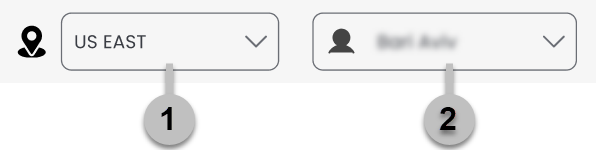
- Select the destination region containing the migrations you want to manage.
- Select the user name to access the following:
| My Account (admins and root users only) | View account details. |
| Terms of service | View terms applicable to Cloud Migration. |
| Privacy policy | View privacy policy. |
| Contact support | View support contact details. |
| Assumed Role (resellers only) | Temporarily assume a Lyve Cloud Identity and Access Management (IAM) role, allowing you to perform actions on AWS resources without requiring permanent changes to your own permissions. |
| Sign out (admins and root users only) | Sign out of this account |
| Local time zone | Display data in the local time zone instead of Coordinated Universal Time (UTC). |
Sidebar
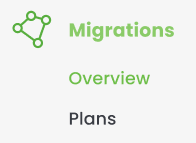
Use the sidebar to navigate between the cloud overview and plan views.