- ASEAN (English)
- Australia/New Zealand (English)
- Belgique (Français)
- België (Nederlands)
- Brasil (Português)
- Canada (English)
- Canada (Français)
- Deutschland (Deutsch)
- España (Español)
- France (Français)
- India (English)
- Indonesia (Indonesian)
- Italia (Italiano)
- Latinoamérica (Español)
- Middle East/North Africa (English)
- Nederland (Nederlands)
- Polska (Polski)
- Portugal (Português)
- Singapore (English)
- Türkiye (Türkçe)
- United Kingdom (English)
- United States (English)
- 中国 (简体中文)
- 台灣 (繁體中文)
- 日本 (日本語)
- 대한민국 (한국어)
- Home /
- Lyve Cloud Object Storage Resources Guide /
- Starfish
Was this content helpful?
How could we make this article more helpful?
OPEN MENU CLOSE MENU
- Acronis
- ActiveImage Protector
- Apostrophe CMS
- Bacula
- BorgBackup
- CloudBoost
- Cohesity
- Commvault
- CrossFTP
- Data Migration Overview
- Data Migration with AWS CLI
- Data Migration with Cloudsfer
- Data Migration with Flexify.IO
- Data Migration with Movebot
- Data Migration with Rclone
- Data Migration with StorageDNA Fabric
- Dell Networker Data Domain
- Duplicacy
- FileBrowser
- How to Create a Pre-Signed URL
- IBM Aspera HSTS Server and Desktop
- IBM Aspera with HSTS
- IBM Spectrum Protect
- Laravel
- LucidLink
- MinIO Client
- NAKIVO Backup and Replication
- qBackup
- Restic
- Rubrik
- S3cmd
- S3FS
- s5cmd
- ShareX
- Signiant Media Shuttle
- SmartFTP
- Starfish
- SyncBackPro
- Syncovery
- tntDrive
- Transmit
- UpdraftPlus
- Using SSE-C to Encrypt Objects
- Veritas Backup Exec
- Veritas NetBackup Media Server Deduplication (MSDP)
- Video Library
- WebDrive
- Commvault
- LucidLink
Lyve Cloud with Starfish
Starfish is validated for use with Lyve Cloud Object Storage.
The add an archive target workflow assumes a bucket called starfish-01 has previously been created within Lyve Cloud.
To add Lyve Cloud as a target for archive jobs:
- Select the Targets button.

- Select the + Add target button.

- Select S3 as the target type.
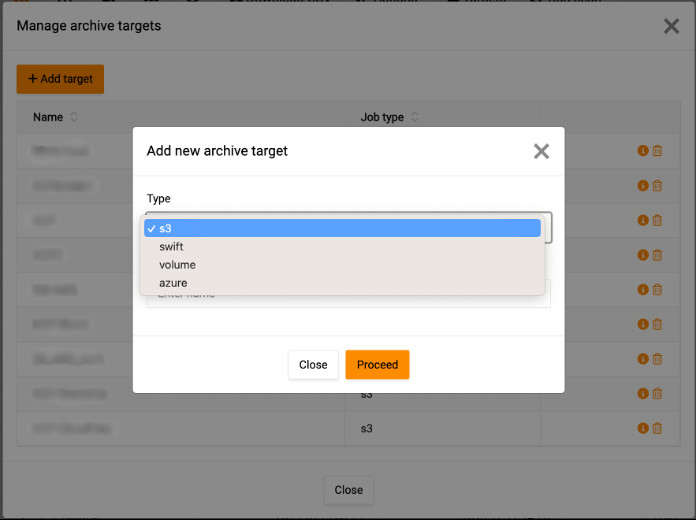
- Enter details for the new archive target, and then select Proceed.
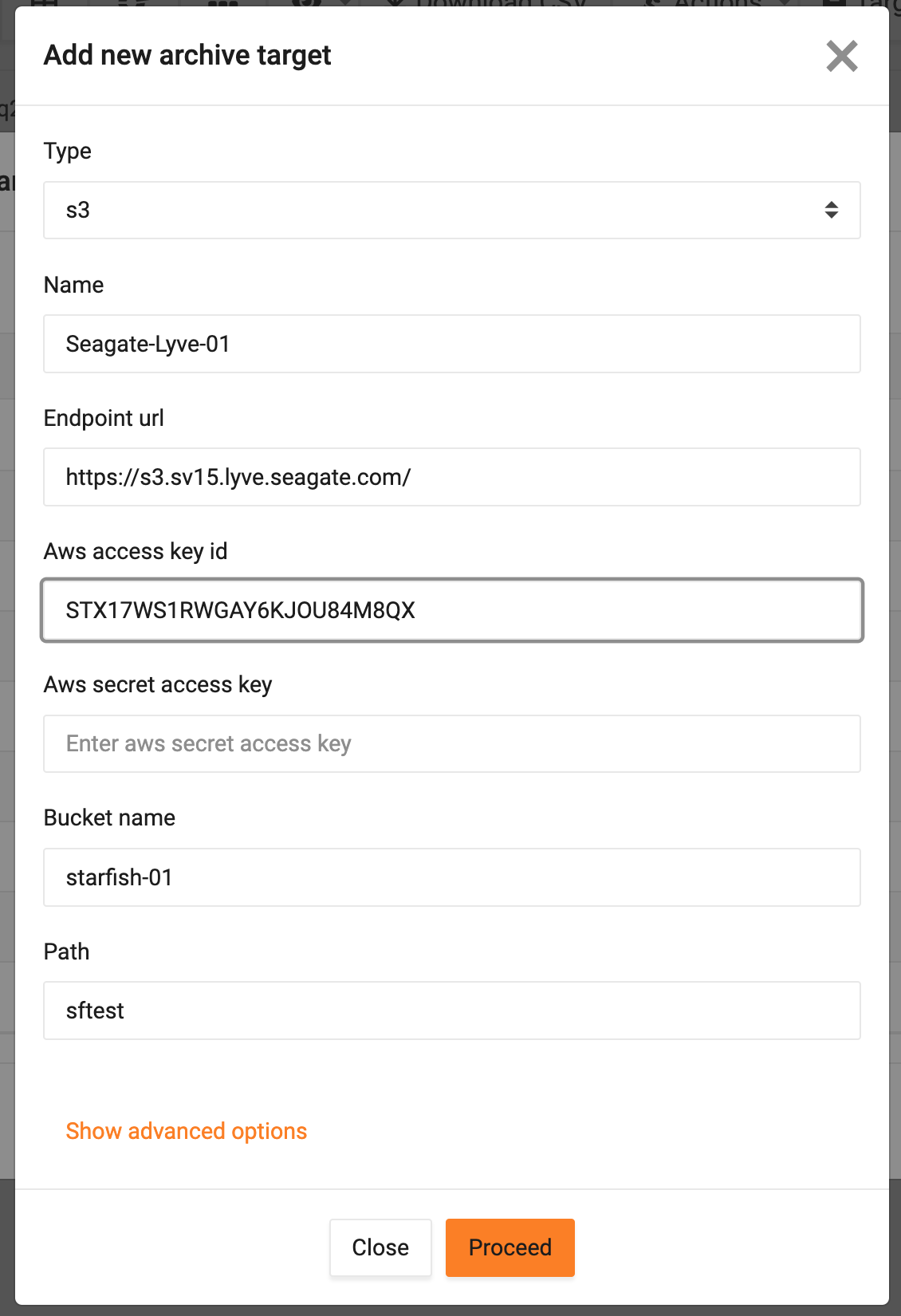
Starfish validates connectivity to the newly added bucket.
- Review details of the selected target, and then select Close.
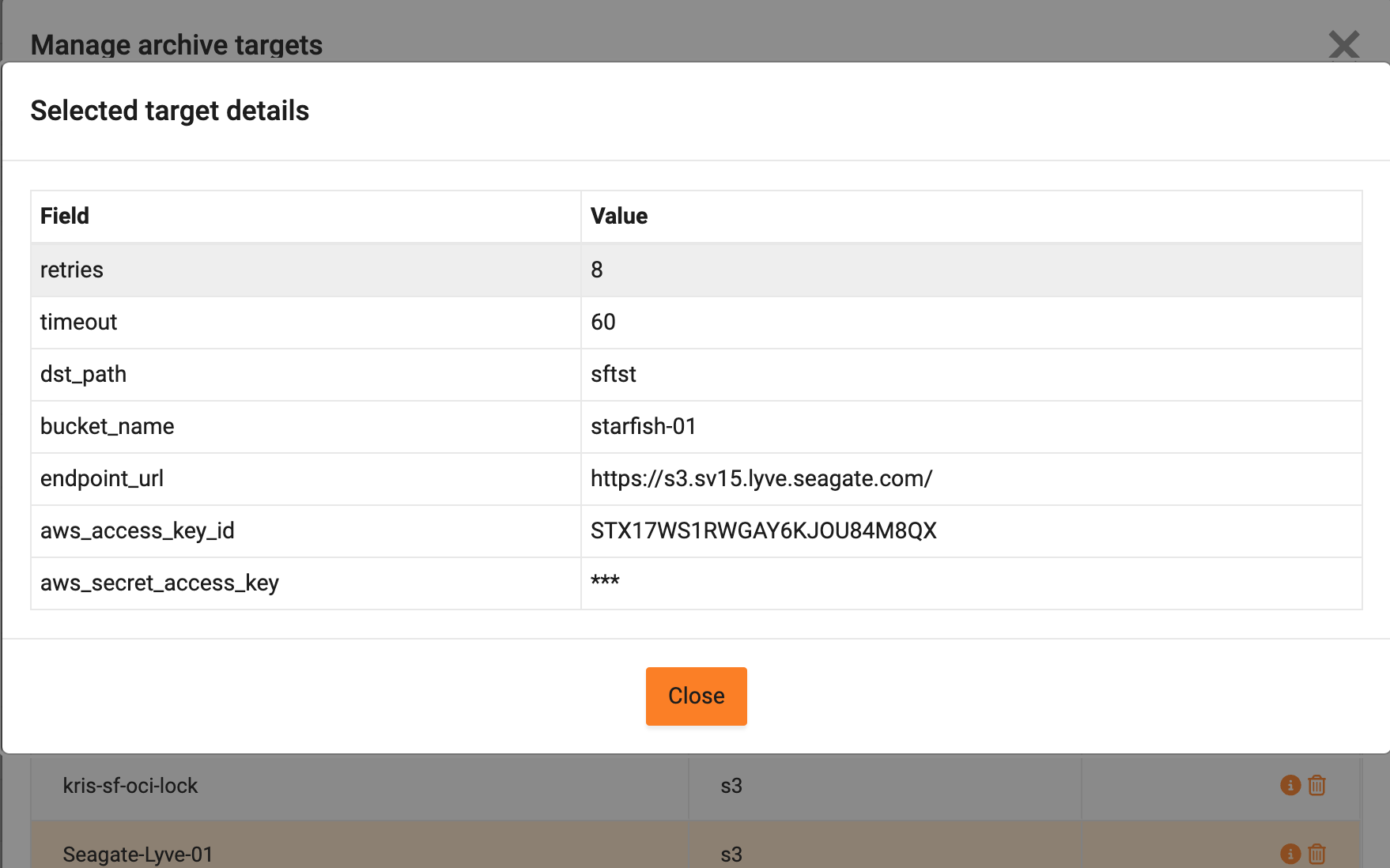
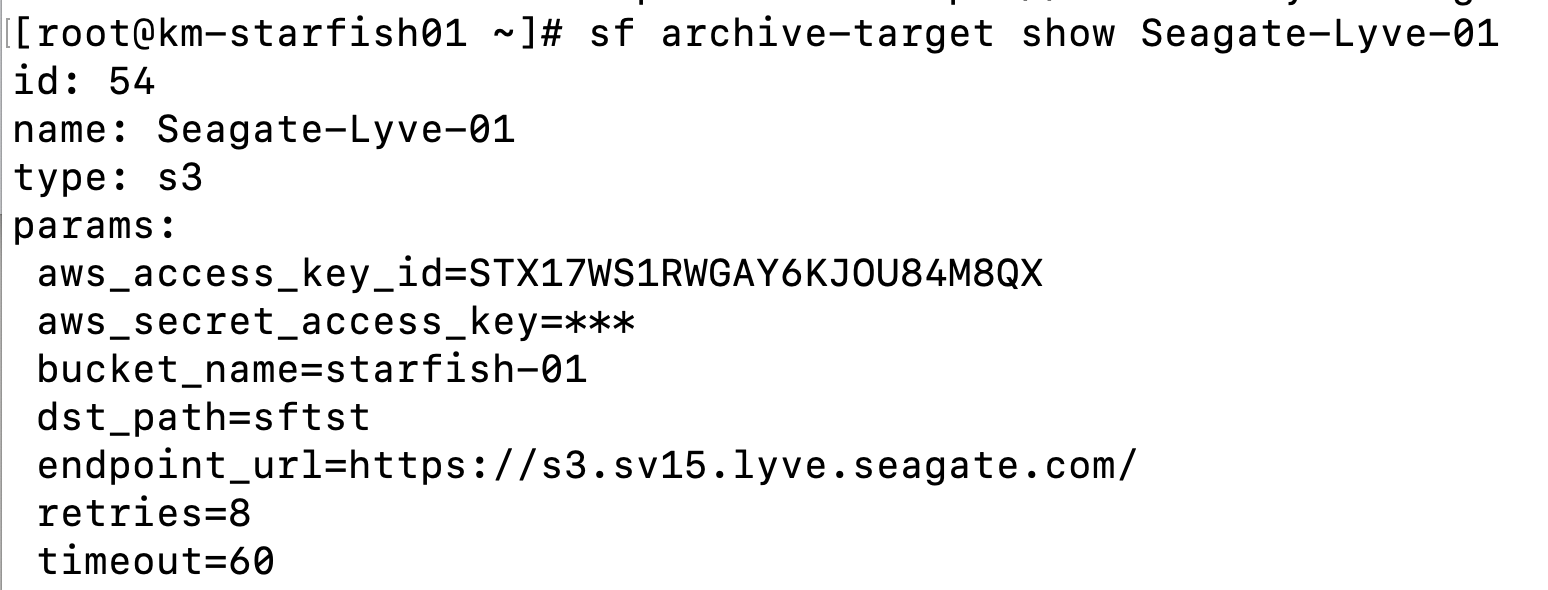
All information can be viewed and/or configured using the command line interface (CLI) and REST API.
CLI example:
Lyve Cloud Object Storage Resources Guide