Was this content helpful?
How could we make this article more helpful?
System LEDs
The LEDs help you identify the status of the system and drives.
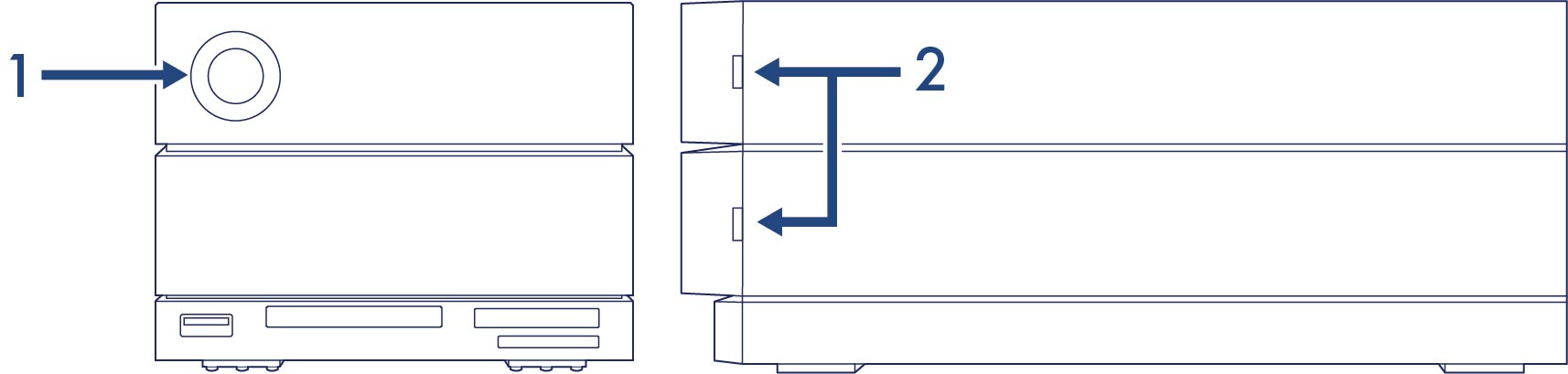
- System LED
- Drive LEDs
System LED status
| LED behaviour | System status |
|---|---|
| Off | Device is powered off |
| Solid blue | Device is connected to host |
| Blinking blue | Device is booting |
| Slow blinking blue, 10 second interval | Device is in power-saving mode |
| Fast blinking blue | Device starting up or shutting down |
| Blinking red and blue | RAID is being initialised or synced |
| Blinking red, 1 second interval | Temperature warning or RAID degraded |
| Solid red | Temperature critical, fan not connected or RAID broken |
Technical note regarding power-saving mode and Windows — The device can be placed into power-saving mode on PC’s running Windows 10 or higher. However, it is possible that the LED will remain off rather than flash blue every 10 seconds.
LEDs for this device can be dimmed using the Toolkit app. See the Toolkit user manual for details.
Drive LED status
| LED behaviour | Drive status |
|---|---|
| Solid blue | Drive is ready |
| Blinking blue | Drive is being accessed (normal operation) |
| Solid red | Drive is faulty |