Was this content helpful?
How could we make this article more helpful?
Hard Drive Maintenance
Precautions
- Hot-swapping refers to removing and replacing hard drives while the enclosure is powered on. LaCie 8big Pro5 features hot-swappable hard drives.
- During operation, the hard drives should remain in their bays for optimal airflow. Airflow and fan performance are regulated by temperature.
- Observe all conventional electrostatic discharge (ESD) precautions when handling hard drives.
Replacing a hard drive
Replace a hard drive if:
- You want to expand the available storage space by adding hard drives with a larger capacity.
- The hard drive has failed.
If a failed hard drive is under warranty, make certain to contact Seagate support about receiving a replacement disk.
When adding new hard drives or replacing hard drives that are not under warranty, consider using Seagate Enterprise HDDs that are optimised for use with 8big Pro5. For further information about compatible hard drives, see LaCie Big Products - Drive Compatibility List.
Since 8big Pro5 supports hot swapping hard drives, it is not necessary to power down the device to replace a single hard drive.
- Locate the drive you want to replace and place your index finger under the drawer cover.
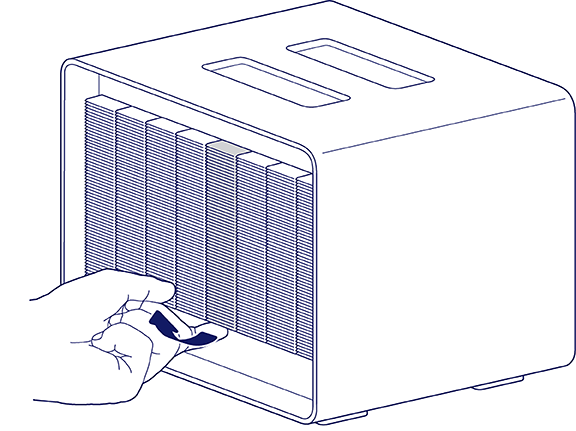
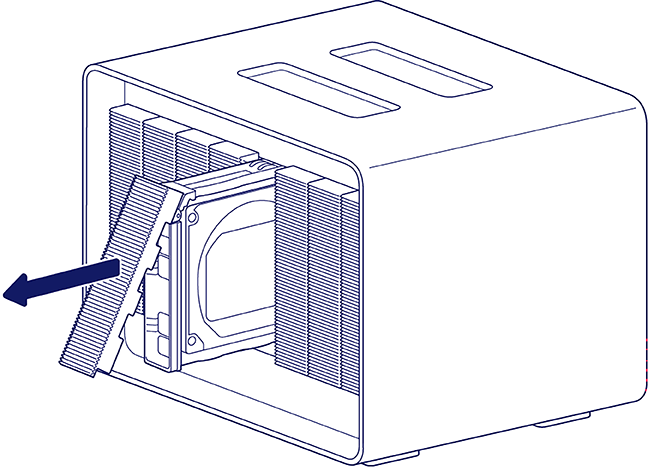
- Gently pull the bottom of the cover and slide the drive drawer out of the bay.
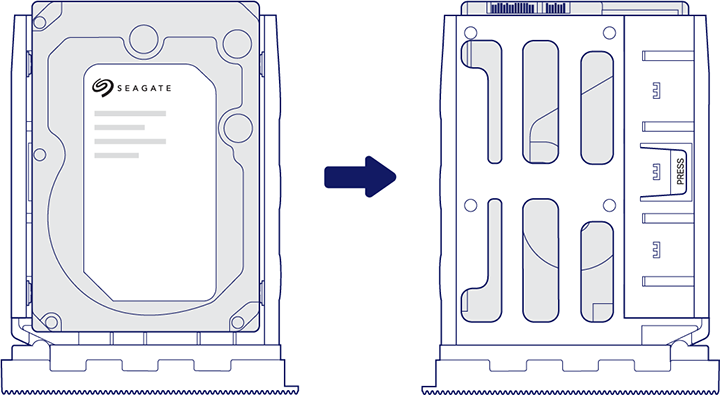
- Turn the drawer over so that the drive label is facing down.
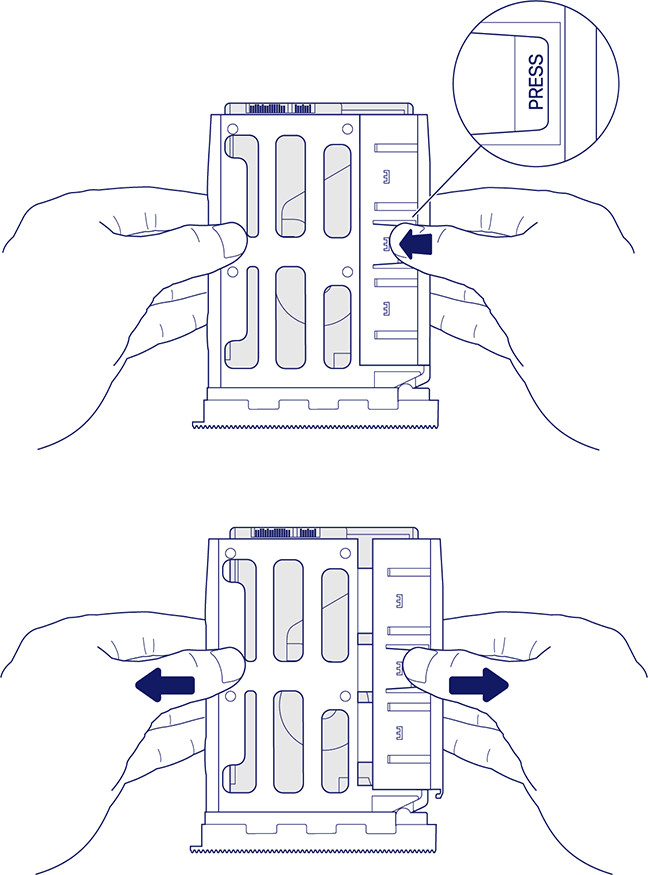
- Hold the drawer with both hands just above your working surface. Press the tab marked PRESS and pull the sides of the drive drawer outward until the drive is released.
- Place the empty drawer on your working surface with the open side facing up. Set the replacement drive in the drawer (label side up) and slide the drive down until it is seated against the drawer cover.
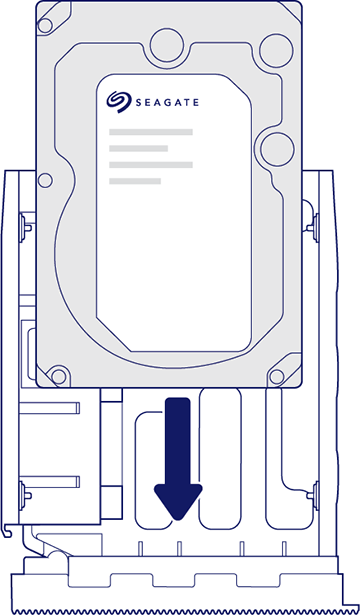
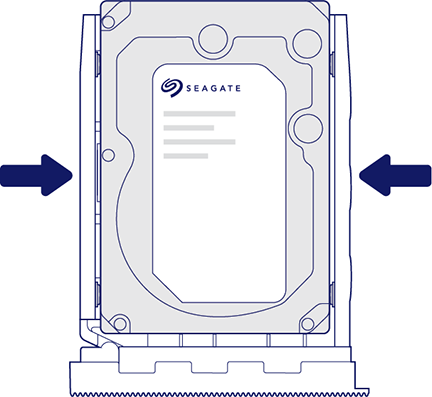
- Push the sides of the drive drawer inward until the drive is locked in place.
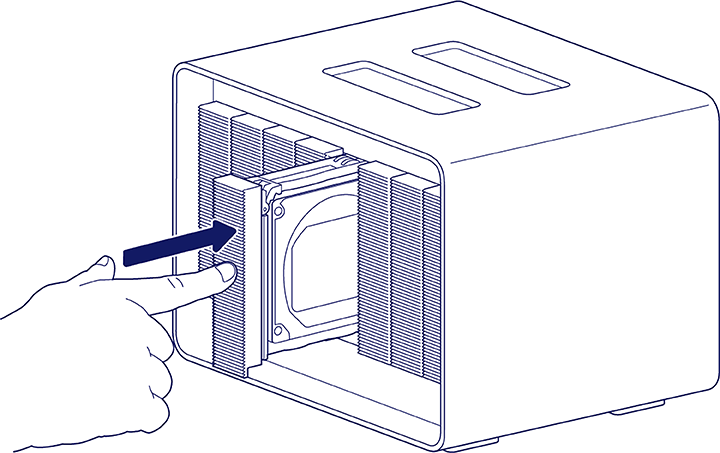
- Carefully insert the full drawer into the bay. Push firmly on the cover until the drawer is fully inserted and the drive is seated.
When replacing hard drives that are members of an active RAID array, the hard drive LEDs blink red and blue indicating that the RAID is synchronising data. You can continue to use the 8big Pro5 storage, but performance is reduced until the synchronisation is complete.
Non-serviceable components
The components inside the 8big Pro5's chassis are NOT hot-swappable and are not serviceable at any location outside of Seagate-approved service centres. Removing the cover voids your product’s warranty. Additionally, removing, replacing or changing any part in the enclosure or, performing any action that involves the components in the enclosure, voids the product’s warranty. If you are experiencing hardware errors or failure, contact Seagate support for assistance.