Was this content helpful?
How could we make this article more helpful?
Connect Game Drive
PlayStation® 5 console
Power on your PS5 console.
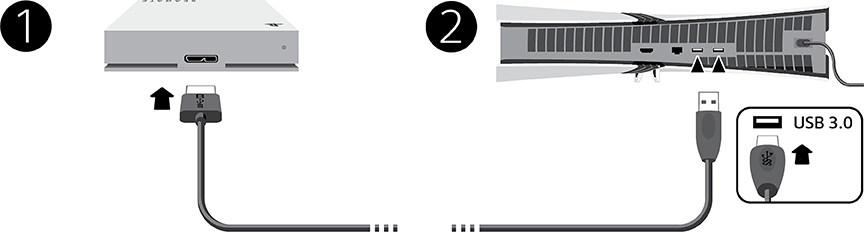
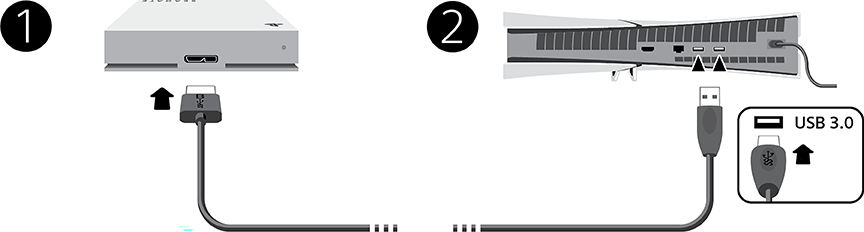
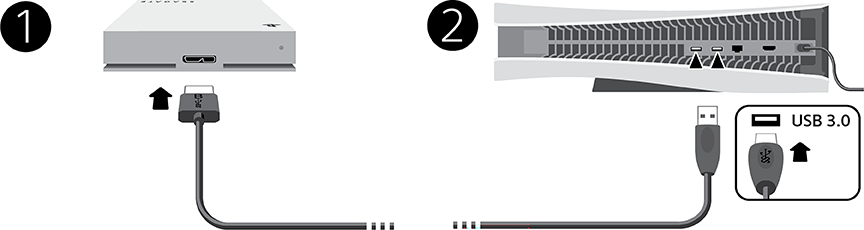
- Connect the USB micro-B end of the cable to the USB micro-B port on Game Drive.
- Connect the USB-A end of the cable to a USB-A port on your PS5 console.
PS5 Pro (CFI-7000 model group)
PS5 Slim (CFI-2000 model group)
PS5 (CFI-1000 model group)
Format your drive
Game Drive is delivered formatted in the exFAT file format. To use it as an external drive for your PlayStation 5, you must format the drive with your console.
- Go to Settings > Storage.
- Select USB Extended Storage > Format as USB Extended Storage.
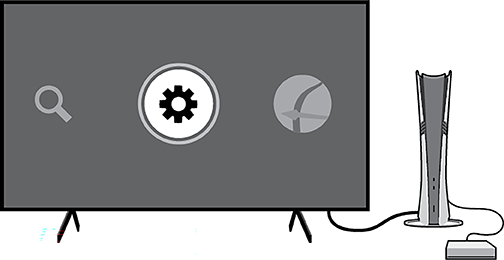
- If multiple USB drives are connected to your console, you can change which USB drive you format by selecting Select Another USB Drive.
PlayStation® 4 console
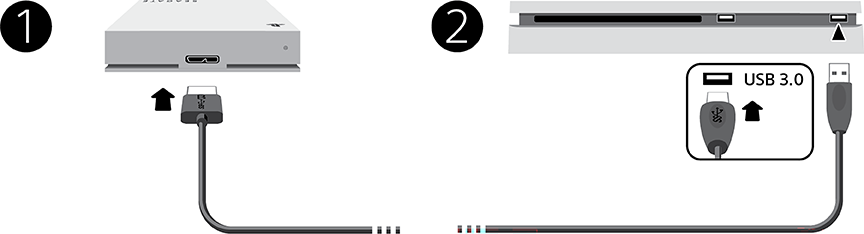
Power on your PS4 console.
- Connect the USB micro-B end of the cable to the USB micro-B port on Game Drive.
- Connect the USB-A end of the cable to a USB-A port on your PS4 console.
Format your drive
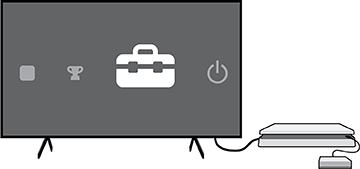
Game Drive is delivered formatted in the exFAT file format. To use it as an external drive for your PlayStation 4, you must format the drive with your console.
- Go to Settings > Devices > USB Storage Devices.
- Select the USB storage device to format and choose Format as USB Extended Storage.
Electromagnetic interference
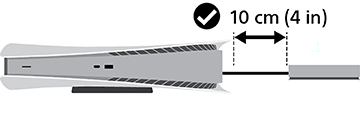
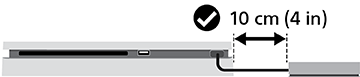
To minimize electromagnetic interference (EMI), place Game Drive at least 10 cm (4 in) from the PlayStation console.
PS5 Pro (CFI-7000 model group)
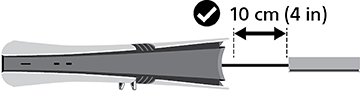
PS5 Slim (CFI-2000 model group)
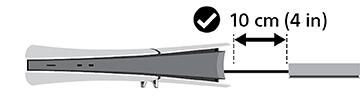
PS5 (CFI-1000 model group)
PS4
Safely remove Game Drive External Hard Drive
To protect your data, always follow the safe removal procedures for your operating system when disconnecting your product.