Was this content helpful?
How could we make this article more helpful?
Getting Started
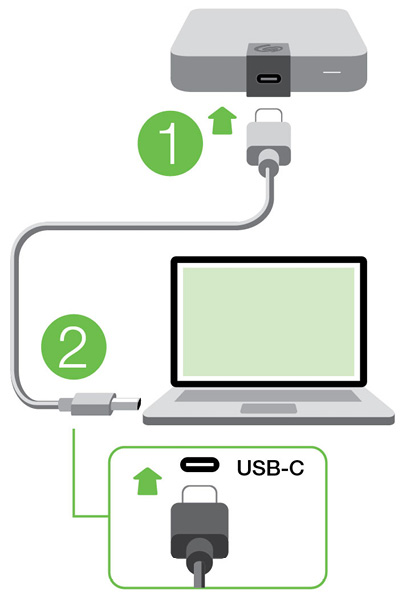
Connect the USB cable
Use the USB-C cable to connect Ultra Touch to a computer’s USB-C port.
Set up Ultra Touch
The setup process lets you:
| Register Ultra Touch | Get the most from your drive with easy access to information and support. | www.seagate.com/register |
| Install Toolkit | Set up security, backup plans, and more. | www.seagate.com/toolkit |
Your computer must be connected to the internet to register your device and install Toolkit.
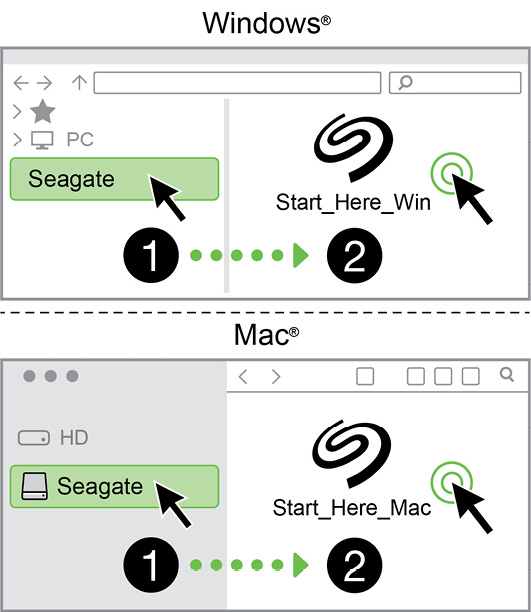
Start here
Using a file manager such as Finder or File Explorer, open Ultra Touch and double-click or .
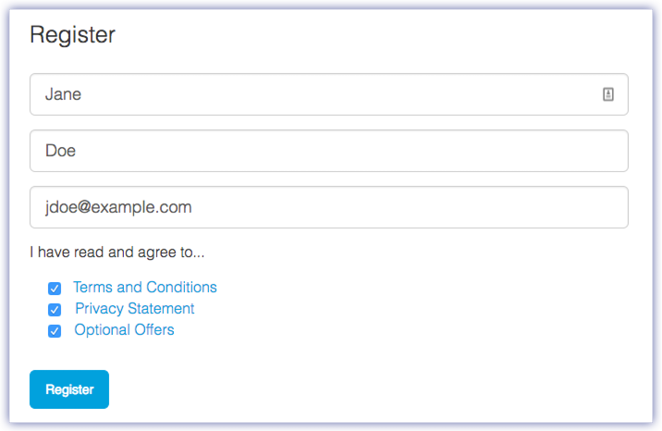
Register your device
Enter your information and click .
Download Toolkit
Click the button.

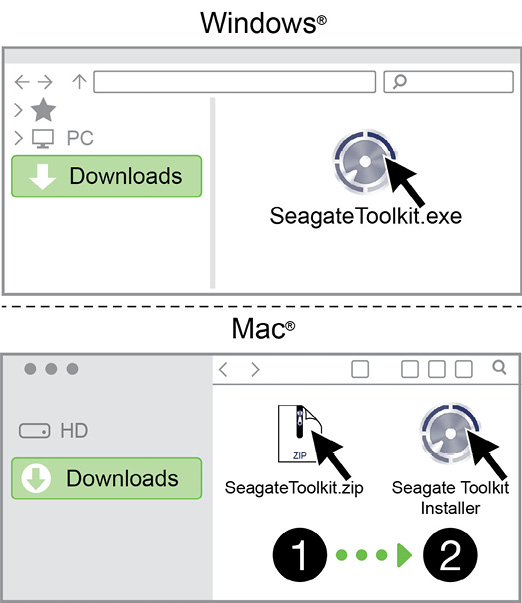
Install Toolkit
Using a file manager such as Finder or File Explorer, go to the folder where you receive downloads.
- Windows—Click on the file to launch the application.
- Mac—Open the file. Click on the to launch the application.
Your computer must be connected to the internet to register your device and install Toolkit.