




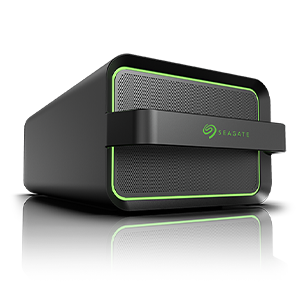
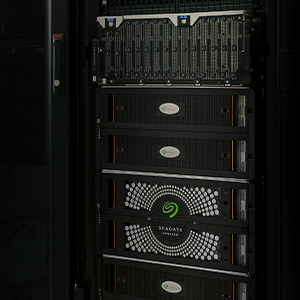
Please follow this procedure to claim a drive and rebuild the Seagate Business NAS RAID in case you need to replace one of the drives in the NAS unit:
- Log into Seagate NAS Manager using Seagate NAS Discovery or by entering the IP address of the NAS device in the address bar of a web browser.
- Select Storage.
- Select Disk Manager.
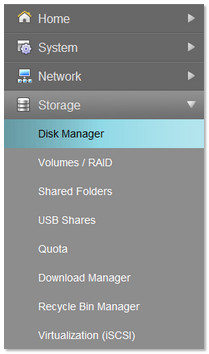
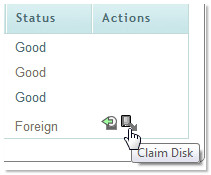
- Under Actions, there will be two icons. Select the Claim Disk icon.
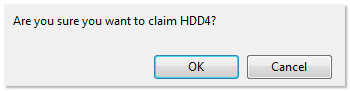
- Click OK to claim your specific disk.
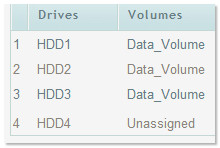
The drive displays as Unassigned.
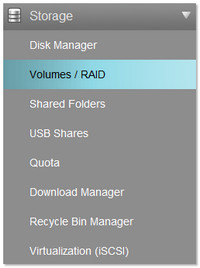
- Under Storage, select Volumes / RAID.
The Volume displays as Degraded. - Select the hammer and wrench icon (
 ) under Actions to begin the recovery of the volume.

- Click Submit once the drive has been verified.
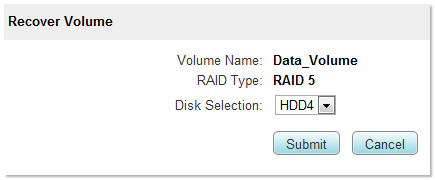
The Recover Volume process begins. You will no longer be able to access the NAS until the process has completed.
The RAID recovery time will differ greatly depending on the RAID type, number of drives and their size. While a two-drive RAID 1 might take a few hours to rebuild, a RAID 5 with four 4 TB drives will probably take several hours to recover. Seagate recommends that you plan your recovery accordingly.


