United States English [CHANGE]
  • Close

    Login to Your Account

    Login
    Forgot your Password?
Seagate
58
PRODUCT FIND
All Products
Only Current Products
Interface
Capacity
Family/Model
Number
click here to search
Support > Downloads > Personal Storage Family Downloads

Personal Storage Family Downloads

End User License Agreement

Download File

File Version: 1.0
File Size: 1350.0 kb
Supported Operating Systems: Windows 98

Overview:
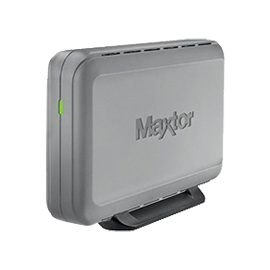
The 3000LE Installation software provides the drivers needed for use with the Maxtor Personal Storage 3000LE in a Windows 98 Second Edition (SE) environment.

Instructions:
WARNING: Drivers found in the 3000le.exe file are ONLY for use on computer systems using Microsoft Windows 98SE (Second Edition). They are NOT to be loaded on any other operating system.

Software Drivers found in the 3000le.exe are SOLELY meant to be loaded on the following 3000LE Style A Models:

  • USB2120XXXXXX
  • USB2040XXXXXX

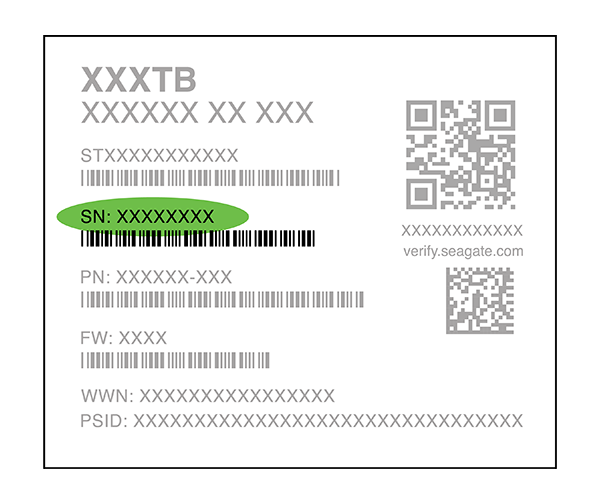
NOTE: The Model Number is located on the bottom of the 3000LE. The "X" characters identified in the aforementioned model numbers will be replaced by alphanumeric characters on your 3000LE unit. The same drivers found in the 3000LE_Drivers_Win98SE.exe are included on the Drivers CD that comes shipped with the 3000LE products.

If unsure of the Model Number, you can identify the affected models by where the power connector is located.
Or you can see Seagate Knowledge Base article 204211 for help in finding your drive's model number using Windows or MacOS.


WARNING: The driver(s) and procedure(s) in this document are NOT to be used with the following Style B units:

  • VR120XXXXXXXX
  • WF040XXXXXXXX

The "X" characters identified in the aforementioned model numbers will be replaced by alphanumeric characters on your 3000LE unit. Seagate requires that you download the Style B driver for these 3000LE products.


Installation Instructions

  1. Download 3000le.exe from this web site. Suggestion: download 3000le.exe to the C: drive of the computer that you will connect the Personal Storage 3000LE External Hard Drive to (e.g. C:\3000LE.EXE).
     

  2. Click "Start" | "Run" and browse to the location of the 3000le.exe file.
     

  3. Double-click on the 3000le.exe file, click the "Open" button and click on the "OK" button. This will launch the 3000le.exe installation program.
     

  4. Follow all on-screen prompts and restart your computer.
     

  5. Connect your Personal Storage 3000LE to your system's USB port and apply power to the computer.

During Startup, Windows will detect a new Mass Storage Device and install/initialize all other components needed for the use of the Personal Storage 3000LE. No user intervention is required during this process. Your Personal Storage 3000LE is now ready for use.


|
CHANGE
South America North America EMEA APAC