Best Xbox hard drive upgrades: Maximize your storage and performance
Modern Xbox® gaming offers more than ever: bigger worlds, richer graphics and a huge variety of titles available through Xbox Game Pass.
But all that content comes with one big challenge: storing massive amounts of content. Today’s games can easily eat through your console’s internal storage. Frequent installs, updates and DLC only make the problem worse.
Thankfully, most modern gaming storage solutions are designed with this in mind. Current-generation consoles, for example, have expansion capabilities to facilitate increased storage, as well as ports to connect to external SSDs and external hard drives. You also have the option of using an Xbox Expansion Card to expand your console’s internal storage.
Why storage matters for Xbox gamers
For Xbox gamers, storage isn’t just about keeping a few extra titles on hand; it’s the foundation of a seamless gaming experience. Modern games are massive, often requiring a lot of storage. Without the right storage solution, you’ll quickly find yourself deleting games just to make room for new ones, which can be frustrating when you want quick access to your entire library.
Performance also plays a big role: high-speed external or expansion drives can cut download times, improve responsiveness and allow games optimized for Xbox Series X|S to run at their full potential. Reliable storage means less waiting, fewer interruptions and more time spent playing.
Whether you’re a casual gamer who hops between a handful of favorites or a dedicated player building an extensive collection, the right hard drive or SSD ensures your Xbox is always ready for action and your gaming experience stays smooth, fast and frustration-free.
The challenge of modern game libraries
Today’s Xbox game libraries are larger and more demanding than ever, with blockbuster titles often exceeding 100GB each and multiplayer games constantly adding new maps, modes and content through updates. For gamers who enjoy keeping a wide variety of titles ready to play — whether that’s massive open-world adventures, sports franchises, or a rotating lineup of Game Pass downloads — storage space fills up quickly.
This is where Xbox external hard drives shine. Offering high-capacity storage at an affordable price, external hard drives give players the freedom to expand their library without constantly worrying about deleting and reinstalling games. With options reaching multiple terabytes, you can keep hundreds of games at your fingertips and still have room for future releases.
Hard drives are also reliable for archiving titles you want to keep installed for quick access, allowing you to revisit your favorites without waiting for lengthy downloads. For gamers who value both convenience and cost-effectiveness, hard drives remain one of the best solutions for tackling the growing size of modern Xbox libraries.
Performance and load time considerations
When choosing storage for Xbox gaming, performance is always part of the conversation. While solid-state drives often get attention for their speed, traditional hard drives still provide excellent performance for a wide range of gaming needs.
External hard drives are fully capable of running Xbox One titles smoothly and serve as an ideal solution for storing and playing backward-compatible classics on Xbox Series X|S consoles. They also excel as mass storage for larger libraries, keeping your high-demand games, downloadable content and expansions always on hand.
Even if you use the internal SSD for a few optimized titles, pairing it with a high-capacity hard drive strikes the perfect balance: quick access where you need it most and abundant space for everything else.
Hard drives are designed to handle long gaming sessions reliably, keeping performance consistent without overheating or slowing down. For gamers who want dependable load times, stable gameplay and the ability to keep their entire library ready to launch, external hard drives remain a trusted and effective choice.
Official Xbox storage solutions by Seagate
Seagate offers a number of Xbox hard drives and SSDs that can help you make the most of your hobby.
Storage expansion card for Xbox Series X|S: True next-gen integration
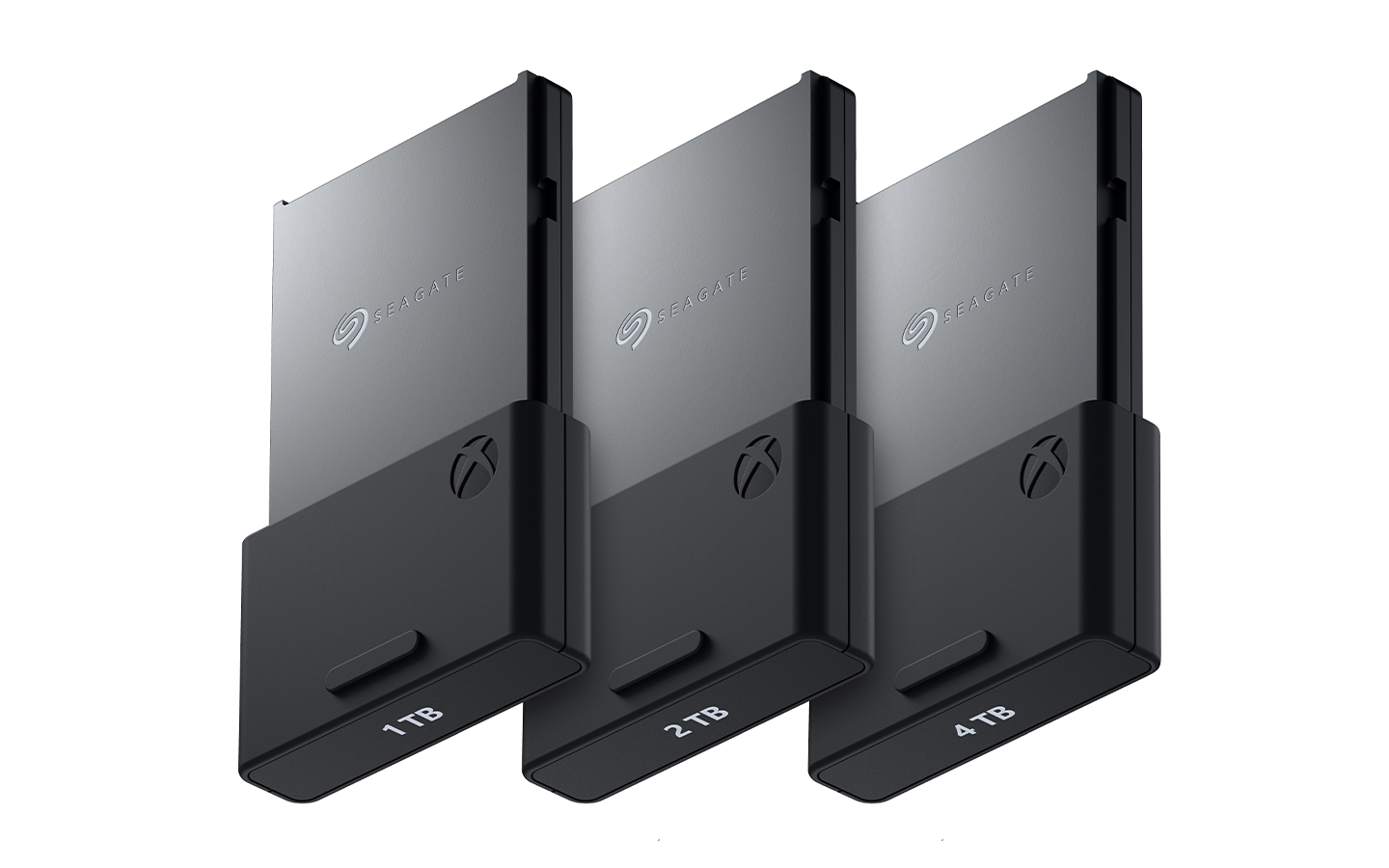
Although this blog post is designed to explore external hard options for the Xbox, we want to also cover expanding your Xbox internal storage via the Seagate Expansion Card for Xbox. The Storage Expansion Card for Xbox Series X/S is like factory-installed internal memory, but better.
This plug-and-play card is simple to use. Just slide it into the expansion slot on the console and you’re all set. With a custom design that allows it to seamlessly integrate into the system and be used as if it were onboard storage, the expansion card gives you more room to stretch without compromising performance.
The expansion card will let you load up on all your latest favorites and swap them as you please. No need to archive, uninstall, reinstall, or otherwise play Tetris with your storage space.
Game drive for Xbox SSD: Portable speed boost
The Seagate Game Drive for Xbox SSD isn’t equivalent to internal storage. But, it’s the best way to make the most of that storage.
It allows you to store a larger library of games you play frequently, which you can then load onto the internal drive when you’re ready to play. Transferring between drives locally is much faster than downloading from the Xbox network.
This external drive is also more portable than a console, so you can easily take your game library over to a friend’s house.
Game Drive for Xbox external hard drive: Massive game library on the go
The Seagate Game Drive for Xbox is a great, high-performance external hard drive for Xbox game storage.
The Game Drive for Xbox external hard drive helps maximize the size of your game vault, while still offering portability for those that need it. Store as much as 5TB of data and take your drive wherever your hobby takes you.
This Xbox external hard drive is an excellent choice for those with abundant game libraries or who enjoy playing backward-compatible classics.
Game Drive Hub for Xbox: The ultimate base station
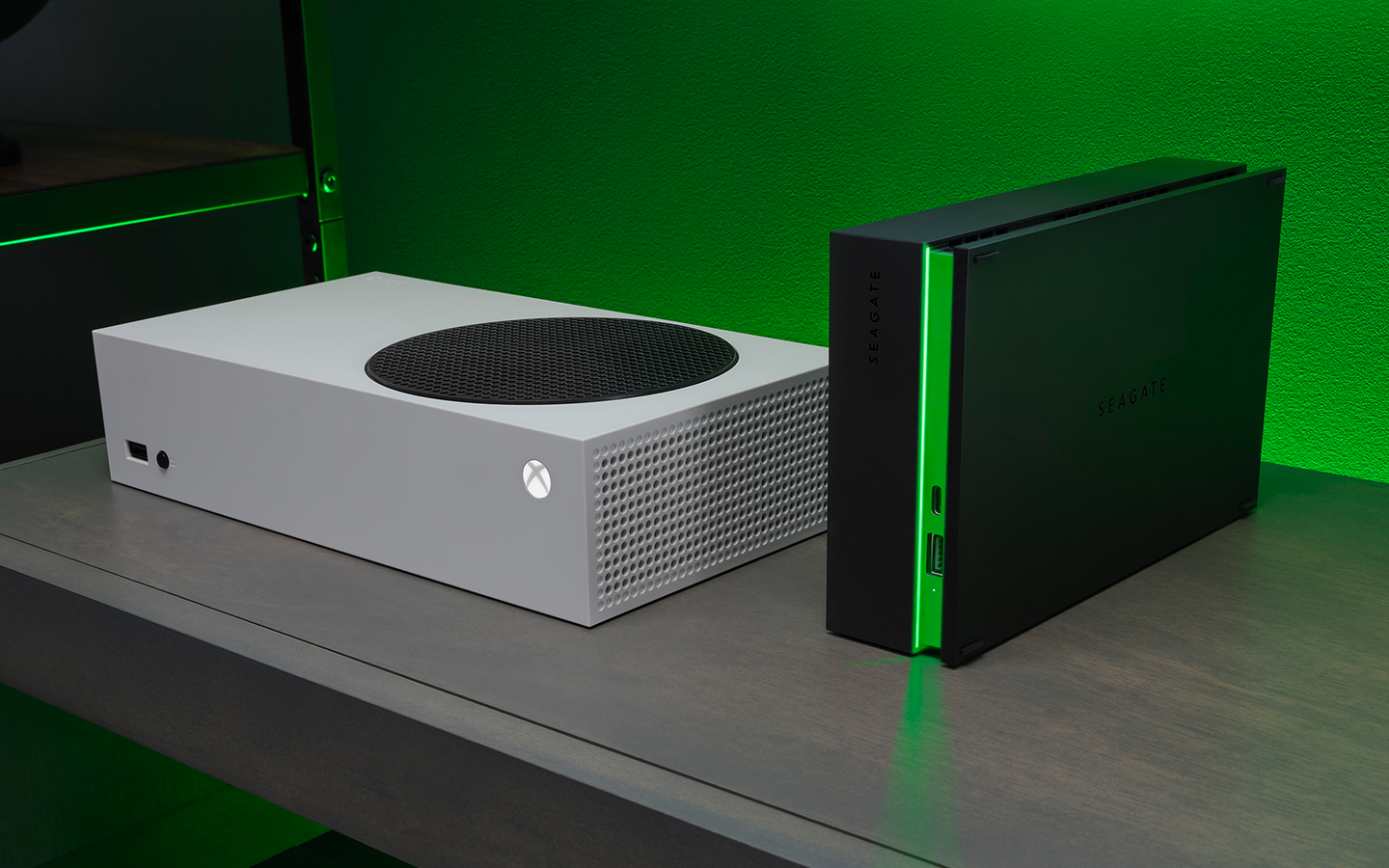
If you need something that can store far more than just an extra terabyte or two — and you do most of your gaming in one place — the Game Drive Hub for Xbox is your ultimate base station. With a massive 8TB capacity, you can build a truly extensive game vault without ever worrying about deleting favorites to make room.
Its integrated dual front-facing USB-C and USB-A ports make it easy to connect and power controllers, headsets, or other accessories. The built-in LED light bar even glows in signature Xbox green to give your setup some extra style.
Choosing the right drive for your Xbox setup
Prioritize speed or capacity?
One of the biggest decisions Xbox gamers face when upgrading storage is whether to focus on speed or capacity. While fast load times are appealing, they aren’t always the most important factor for every player.
Most modern hard drives offer excellent performance, making them a smart choice for gamers who want to maximize game storage space. With capacities reaching multiple terabytes, hard drives allow you to keep a vast library of games, expansions and downloadable content installed at once, which is something that’s increasingly valuable as modern titles grow in size. This means less juggling and more time jumping straight into the games you love.
For those who want the best of both worlds, a balanced setup is ideal: use your console’s internal SSD for a handful of speed-sensitive titles and rely on a large external hard drive for the bulk of your collection. Ultimately, prioritizing capacity eliminates deleting and re-downloading games, while still maintaining dependable performance across your library. Hard drives make it easy to choose space without compromise, giving your Xbox the room it needs to grow with your gaming habits.
Planning for future-proof storage
You’ll also want to consider the storage concerns you might face further down the road. Sure, you may have plenty of space now. But, what about a year from now?
Of course, you can always pick up a second drive or upgrade to a larger capacity model. But, that’s a bit cumbersome and tedious and as gamers, we love nothing more than optimizing our gameplay and storage.
So, consider your current storage habits and experiences. If you’re constantly hitting the ceiling and having to adjust, you may want to opt for extra space to avoid having to constantly buy new storage to house your games.
Tips for optimizing your Xbox storage
Organizing your game library
Keeping your Xbox storage tidy and organized isn’t as simple as managing files on a PC — but it doesn’t have to be complicated either. In general, there are three main categories to think about:
- Games you’re actively playing These should be prioritized for internal storage to ensure the best performance and fastest load times.
- Less frequently played games, older titles and favorites These can be moved to an external drive. They’re still accessible, just not taking up prime real estate.
- Captures, clips and other media files A bit of organization here can make a big difference. Sorting and storing them properly will help you manage space more effectively.
No matter the category, the key is to regularly move data around — keeping your most demanding and frequently used items on the Xbox’s internal storage.
Maintaining peak performance
If you want to get the absolute best out of your machine, though, you’ll want to make sure you’re maintaining it properly. Your Xbox console benefits from yearly cleaning and upkeep. Occasional dusting helps with heat management, improves longevity and ensures your framerate stays up.
Proper disconnect practices are also important. Don’t pull the plug on a drive or card while it’s being actively read or written to. That’s a good way to end up with a corrupt save. You’re better off powering down your console before disconnecting drives or unplugging it.
And lastly, you’ll see better performance, fewer issues and longer shelf life if you use Xbox-compatible hardware. Seagate provides plenty of Xbox-specific external hard drives and SSDs that are guaranteed to work properly with your Xbox gaming console.
Ready to upgrade your Xbox Series X/S storage?
Upgrading your Xbox storage offers more than just room for more titles. It unlocks a smoother, faster and more flexible gaming experience. The right storage upgrade means no more tough choices about what to uninstall and no more waiting around when you’re ready to jump into gameplay.
Whether you want lightning-fast load times, room for an ever-growing library, or the convenience of taking your games on the go, there’s a Seagate game drive built to fit your playstyle. Equip your Xbox with the space and speed it deserves.