Was this content helpful?
How could we make this article more helpful?
Getting Started
Register Seagate Ultra Touch and start backing up files from your PC/Mac computers and compatible Android mobile devices.
| PC/Mac computers | Connect Ultra Touch to your computer and use Seagate Toolkit to sync folders, so your files are available in both places. Let Toolkit automatically copy files you've deleted to the archive folder on Ultra Touch to prevent lost data. |
| Android mobile devices |
Connect Ultra Touch to a compatible Android mobile device and use the Seagate Mobile Touch app to easily back up, move, copy, and delete files on Ultra Touch and your mobile device. Click here for a list of compatible Android devices. |
PC/Mac computers
 Connect the USB cable
Before connecting Ultra Touch, confirm the type of USB port on your computer.
USB-A port
Use the Micro B to USB-A cable if your computer has a USB-A port.

USB-C port
If your computer has a USB-C port, use the Micro B to USB-A cable with the USB-C adapter.

 Set up Seagate Ultra Touch
The setup process lets you:
| Register Ultra Touch | Get the most from your drive with easy access to information and support. |
| Install Toolkit on your computer |
Sync folders and files between your computer and Seagate Ultra Touch. |
| Learn more about Toolkit |
|---|
| For details on Toolkit features, see the Toolkit user manual. |
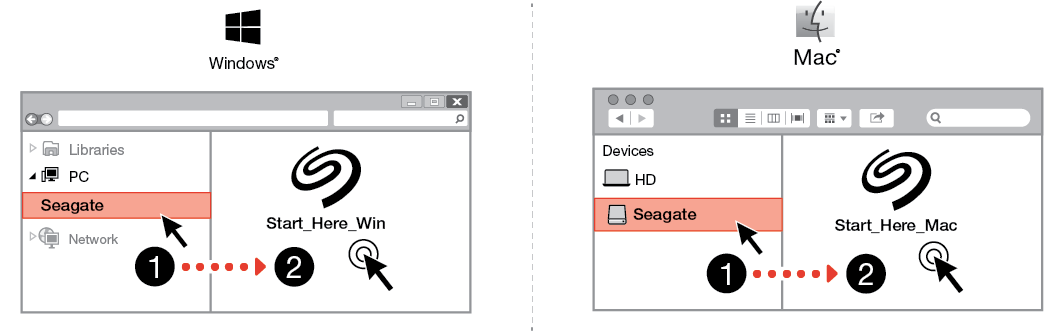
 Start here
Using a file manager such as Finder or File Explorer, open Ultra Touch and launch Start Here Win or Start Here Mac.
 Register your device
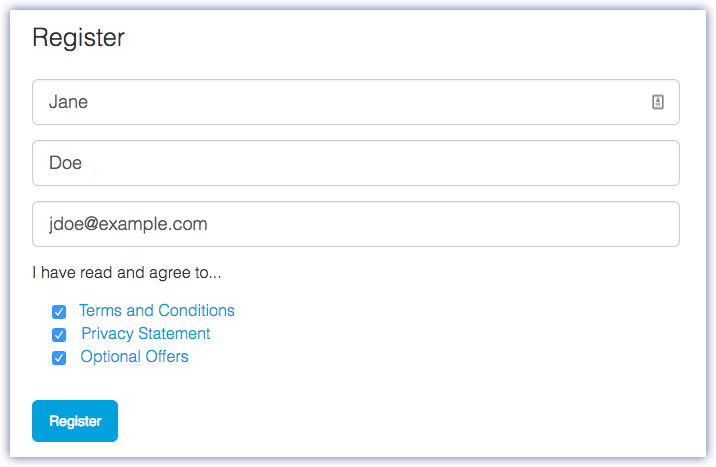
On the Sign Up page, click Register using your PC or Mac. Enter your information and click Register.
 Download Toolkit
At the prompt, click the Download button.

 Install Toolkit
Using a file manager such as Finder or File Explorer, go to the folder where you receive downloads.
 Click on the SeagateToolkit.exe file to launch the application.
 Open the SeagateToolkit.zip file. Click on the Seagate Toolkit Installer to launch the application.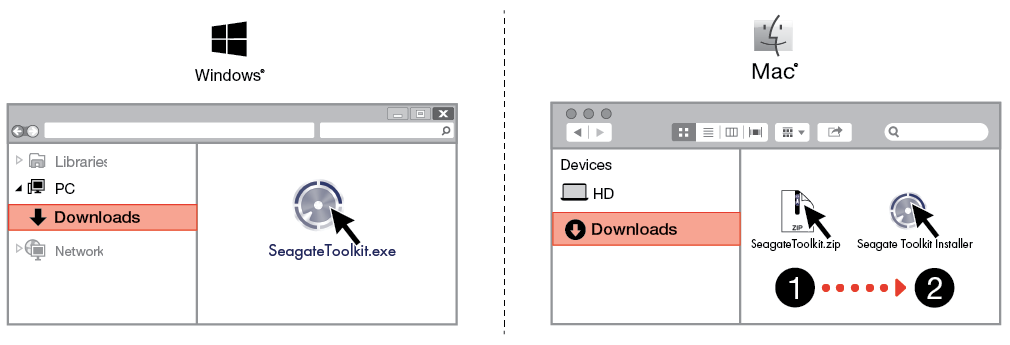
Android mobile devices
Download Seagate Mobile Touch
On your Android mobile device, go to the Google Play Store and download the Seagate Mobile Touch app.
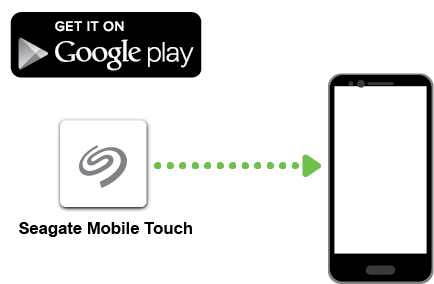
Alternatively, scan the following QR code using your Android device to open the Google Play Store:

Connect your Android mobile device
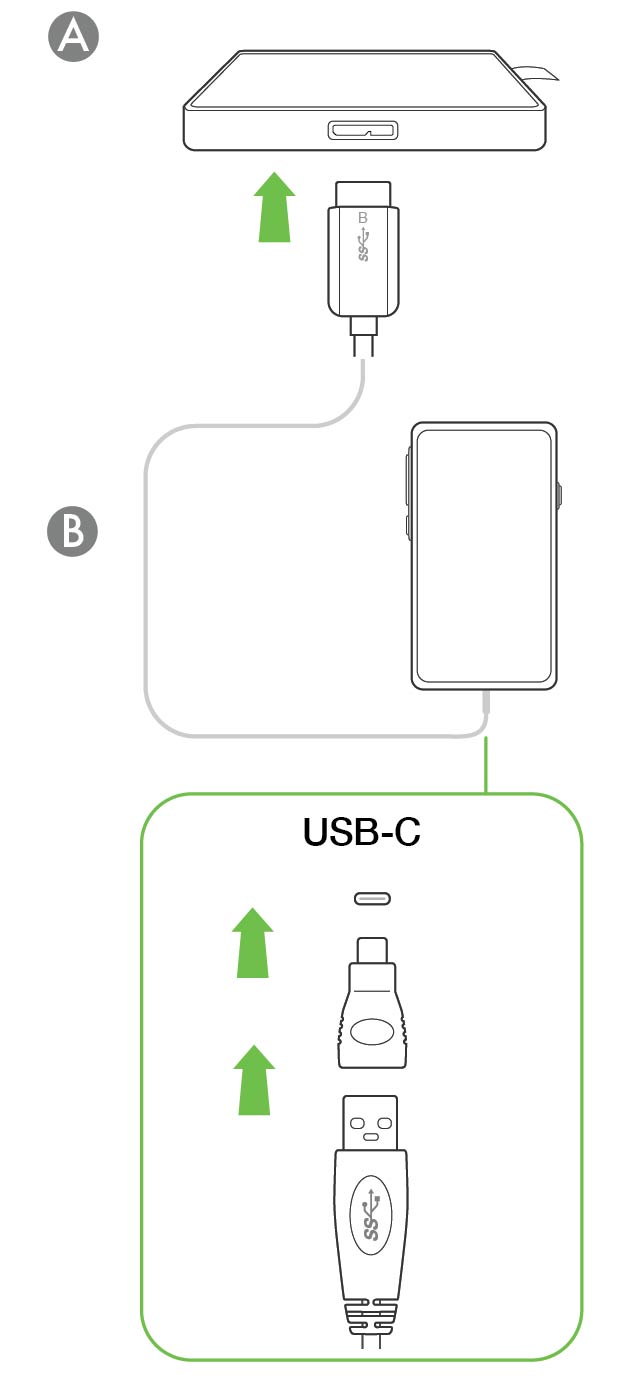
 Open Seagate Mobile Touch
Once you've downloaded Mobile Touch and connected Seagate Ultra Touch to your Android mobile device, open the app and follow the onscreen instructions to register the drive and begin backing up files.
| Learn more about Seagate Mobile Touch |
|---|
| For details on Mobile Touch features, see the Seagate Mobile Touch user manual. |