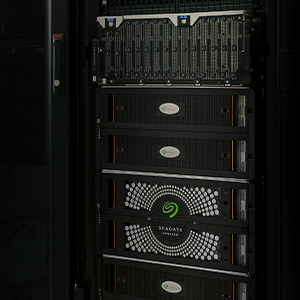
Mozaicは、最大容量のハードディスク・ドライブを提供します。
ストレージ・ソリューションにSMRまたはCMRを導入する場合でも、Mozaicテクノロジーによって実現される最先端の大容量ハードディスク・ドライブ・ストレージを使用して、今すぐ容量を拡張できます。Mozaicテクノロジーは、CMRで現在利用できる最高レベルのプラグアンドプレイ対応ハードディスク・ドライブ容量を提供し、SMRの利用を想定して設計されたシステムでもそのメリットをさらに拡大します。
SMRには一定レベルのアーキテクチャ管理が必要であり、それは現在のすべての導入環境に備わっているわけではありません。SMRを導入可能な組織では、ハードウェア・プラットフォームを変更することなく、実績のある方法で1ドライブあたりの容量を数テラバイト単位で拡大できます。Mozaicテクノロジーを使用する製品ファミリーで得られる最大限の容量を利用できます。
一般的なSMRのワークロード
SMRは連続処理、または連続処理への変換が容易なワークロードに最適です。たとえば、大規模なメディア・リポジトリ、バックアップ階層、コンプライアンス対応のためのアーカイブ、さらにデータを一度に書き込み、読み込む頻度は高くないオブジェクト・ストレージ環境などです。
効果的なSMRソリューション・プロバイダのスキルと特徴
SMRの導入には通常、アーキテクチャに関する専門知識と管理能力を備えたチームが必要です。これには、ゾーンベースのストレージの挙動にシステムを適応させ、管理する能力、それに応じてソフトウェア階層全体を最適化する能力が含まれます。パフォーマンスや信頼性の問題を生じさせることなく統合を進めるには、SMRに対応したファイル・システム、オーケストレーション、診断に精通したエンジニアが必要です。そうしたスキルにより、ストレージ層、監視、運用プロセスとSMRの連続書込みモデルが確実に整合性を保つことができます。
アーキテクチャ管理の6つの特徴
- 制御:ストレージ・ソフトウェア層の所有権
プロバイダは、ストレージの運用を最適化するために、ストレージ・ソフトウェア層をカスタマイズできる必要があります。ホスト管理型のSMRでは、ゾーン管理、書込み順序、ファイル・システムの選択の制御が必要です。
- アプリケーションの適合性:書込み動作をスタックの最上位に配置
アプリケーションは、連続書込み、バッチ書込み、または追記型の書込みを行うものにします。
- ソフトウェア互換性:SMR対応ファイル・システムとストレージ・エンジン
ソフトウェア層はゾーン化されたデバイスに対応し、書込みポインタ規則を適用し、連続書込み動作を維持する必要があります。
- カーネルとホスト間のインターフェイス認識:ZBC/ZACの動作
チームは、Linuxカーネルがどのようにゾーンマップを公開し、書込み制約を適用しているかを理解して、エラーを起こすことなく有効な順序でデータが書き込まれるようにする必要があります。
- データフロー・アーキテクチャ:バッチ処理、キャッシュ、メタデータ戦略
SMRは、データフローが予測可能な場合に最高のパフォーマンスを発揮します。効率的なパイプラインは、バッチ書込みを行い、データを適切にバッファし、ゾーン間書込み増幅を回避します。これらはログ構造ストレージやオブジェクト・ストレージ・アーキテクチャで一般的なパターンです。
- 運用準備態勢:ゾーン管理とライフサイクル・スキル
チームには、ゾーンのリセット、ガベージ・コレクション、監視、診断を管理するための専門知識が必要です。
SMRの利点
SMRは、現在入手可能な最高容量のハードディスク・ドライブを実現します。お客様はドライブ1台につきより多くのデータを保存でき、同じ設置面積内で密度を最大化できるようになります。SMRはトラック・オーバーレイにより記録密度を高めるため、信頼性や耐久性を損なうことなくこうしたメリットを提供できます。コスト効率のよい拡張や、データ中心の成長を重視されるお客様にとって、SMRは迅速に、かつ予測可能に容量を拡大できる手頃な手段です。お客様は1台のドライブにより多くのデータを保存し、設置面積は変えずに密度を最大化できるようになります。
ベストな選択肢を
SeagateのCMR方式のドライブ、特にMozaicプラットフォームを採用した製品は、アーキテクチャの変更を必要とせず、卓越した総所有コスト (TCO)、信頼性、記録密度を実現します。これらの製品はプラグアンドプレイが可能な互換性を備えているため、製品ページでも優先的に扱われ、同じドライブを世界的な販売代理店ネットワークを通じて購入できます。
もし、貴社のアーキテクチャとチームが、上記の6つの特性(ストレージ層の制御、アプリケーションの適合性確保、SMR対応ソフトウェアの使用、カーネルの挙動の理解、予測可能なデータフローの設計、ゾーンレベル操作の管理)に対応可能であれば、SMRは市場で最大容量のハードディスク・ドライブであり、効率的なスケールアップを支援できます。
どちらの選択肢を選んだとしても、実績あるSeagateの技術を使えばストレージ容量を着実に拡張できます。
SMRの導入準備はできていますか?
専門家に相談する
Exos
CMR
4TB、6TB、8TB、10TB、12TB、16TB、20TB、24TB
Mozaic HAMR CMR
28TB、30TB、32TB
SMR
32TB、36TB、44TB
IronWolf
CMR
2、4TB、6TB、8TB、10TB、12TB、TB、16TB
Mozaic HAMR CMR
該当なし
SMR
該当なし
IronWolf Pro
CMR
2TB、4TB、6TB、8TB、10TB、12TB、16TB、20TB、24TB
Mozaic HAMR CMR
28TB、30TB、32TB
SMR
該当なし
BarraCuda
CMR
12TB、16TB、20TB、24TB
Mozaic HAMR CMR
12TB、16TB、20TB、24TB
SMR
4TB、8TB
FireCuda
CMR
1TB、2TB
Mozaic HAMR CMR
–
SMR
該当なし
アーカイブ
CMR
–
Mozaic HAMR CMR
–
SMR
8TB
SkyHawk
CMR
1、2TB、TB、4TB、6TB、8TB
Mozaic HAMR CMR
該当なし
SMR
該当なし
SkyHawk AI
CMR
8TB、10TB、12TB、16TB、20TB、24TB
Mozaic HAMR CMR
32TB
SMR
該当なし
Exos E
CMR
600GB、1TB、1.2TB、1.8TB、2TB、2.4TB