Was this content helpful?
How could we make this article more helpful?
Connection Types
Lyve Mobile Link requires the following connection types:
- PCIe or SAS—Data path between Link and Lyve Mobile Array
- Ethernet—Management path between Link and Lyve Mobile Array
- LAN 10GbE and/or 100GbE—Data and management path between Link and the local network
Link does not support Fibre Channel, iSCSI, Thunderbolt, and USB connections to Lyve Mobile Array.
Data connection to Link
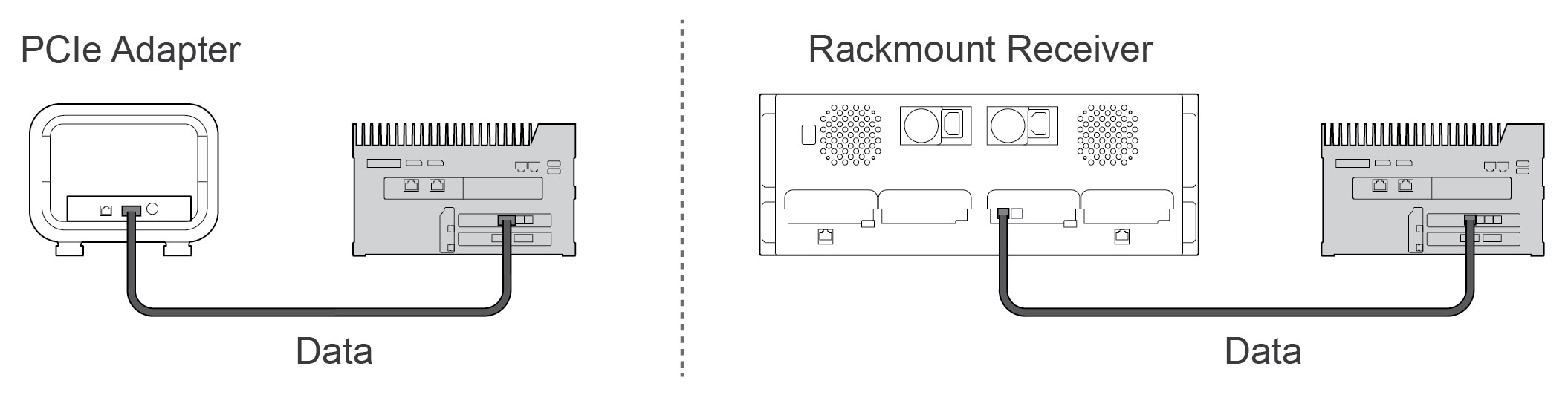
Data to/from Lyve Mobile Array passes through PCIe or SAS connections.
| Path | PCIe Adapter/Rackmount Receiver | Link | Connector Type |
| Data | PCIe/SAS | STORAGE CONNECTIONS A-D | SFF-8644 |
Management connection to Link
Link controls Lyve Mobile Array via a direct Ethernet connection. Ethernet cables are not included with Link.
| Path | PCIe Adapter/Rackmount Receiver | Link | Connector Type |
| Management | Ethernet management | STORAGE MGMT A or B | RJ45 |

Data/management connections to network
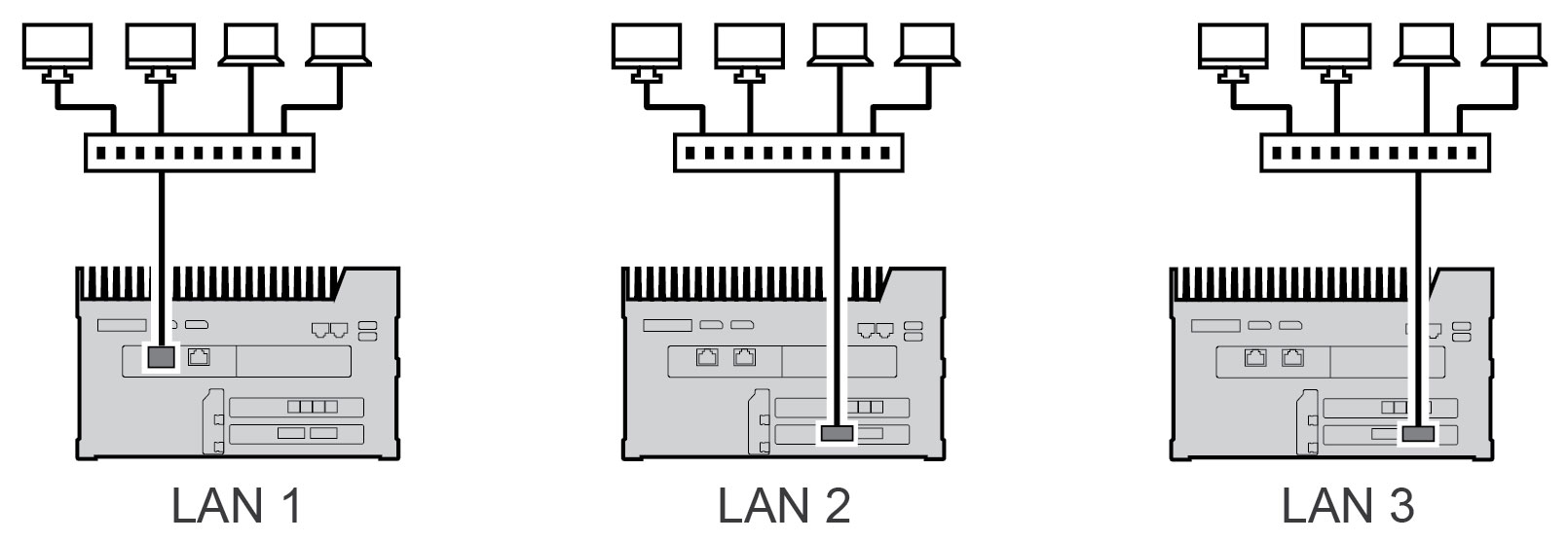
Link's LAN ports send and receive both data and management information to the local network.
| Path | Lyve Mobile Link | Network Switch | Connector Type |
| Data/Management | LAN 1 10GbE | RJ45 | RJ45 supporting 10GbE performance |
| LAN 2 100GbE | QSFP56 | QSFP56 | |
| LAN 3 100GbE | QSFP56 | QSFP56 |
Appliance management connection
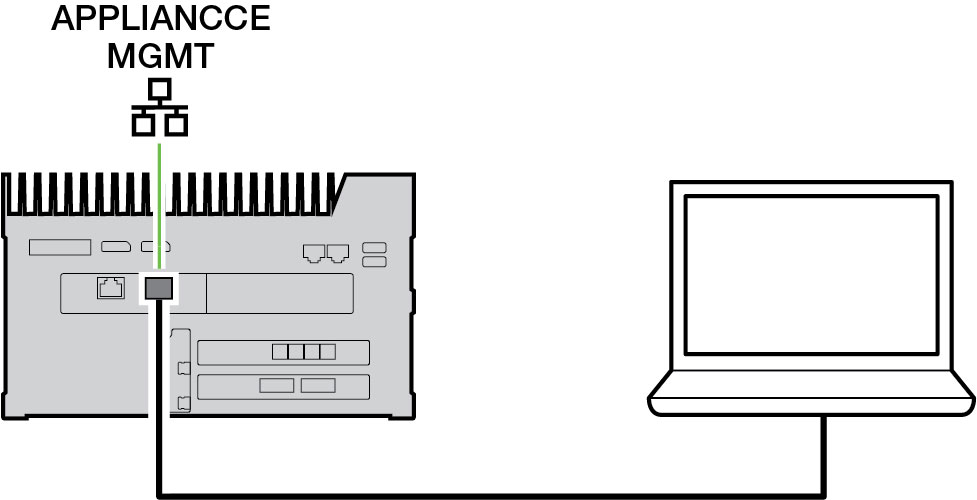
You can connect a PC directly to Link's Appliance Management port for management purposes only. Potential reasons for connecting to the Appliance Management port:
- Your network uses fixed IP addresses.
- You are unable to access the Link web app on the local network.